



زونگ نمبر چیک کوڈ: اپنا نمبر کیسے معلوم کریں؟
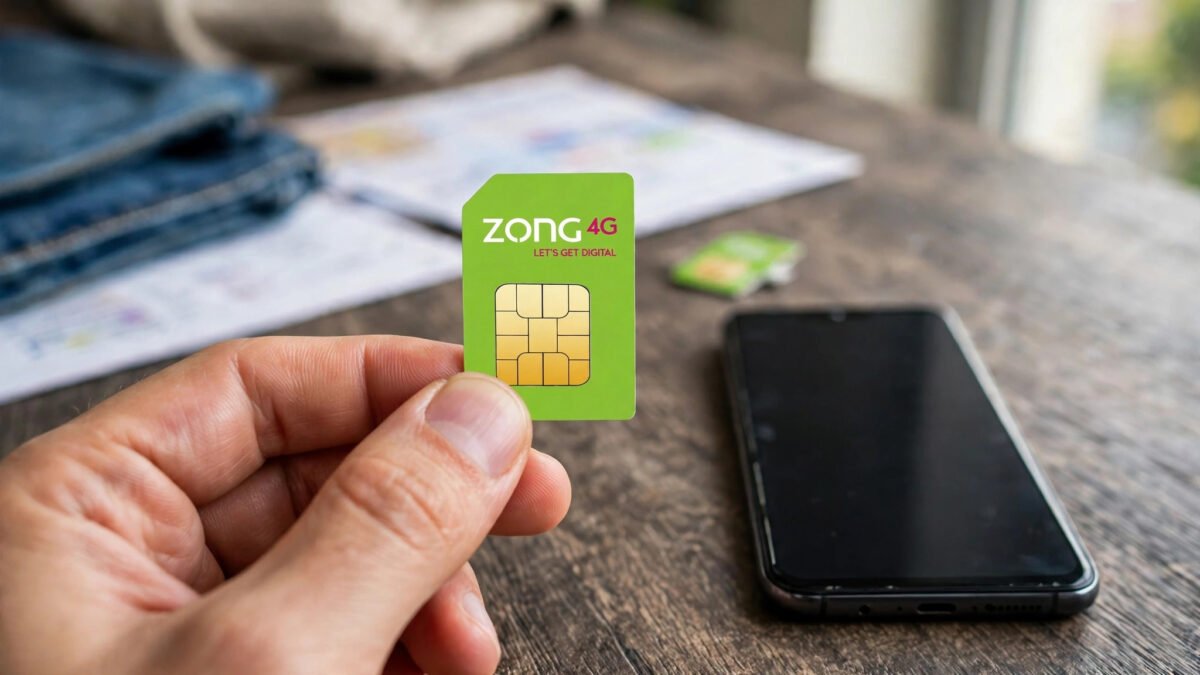
اگر آپ اپنا زونگ نمبر بھول گئے ہیں تو فکر نہ کریں۔ زونگ نمبر چیک کرنے کا سب سے آسان طریقہ *8# ڈائل کرنا ہے۔ اپنے موبائل کے ڈائلر میں یہ کوڈ لکھیں اور کال بٹن دبائیں، چند سیکنڈ میں آپ کا اپنا نمبر آپ کی سکرین پر ظاہر ہو جائے گا۔ یہ سہولت مکمل طور پر مفت ہے اور اس کے لیے آپ کے اکاؤنٹ میں بیلنس ہونا ضروری نہیں ہے۔
زونگ پاکستان کا تیزی سے بڑھتا ہوا موبائل نیٹ ورک ہے جس کے لاکھوں صارفین ہیں۔ اکثر لوگ نئی سم لینے کے بعد اپنا نمبر یاد نہیں رکھ پاتے، یا پھر دو سموں والے فون میں کنفیوز ہو جاتے ہیں کہ کون سی سم کا کون سا نمبر ہے۔ ایسے میں *8# کوڈ آپ کی مشکل آسان کر دیتا ہے۔ اس مکمل گائیڈ میں ہم آپ کو زونگ نمبر چیک کرنے کے تمام طریقے بتائیں گے، جن میں مائی زونگ ایپ، ہیلپ لائن 310، مرحلہ وار ہدایات، عام مسائل کے حل اور دیگر مفید کوڈز شامل ہیں۔
زونگ نمبر چیک کرنے کا مرحلہ وار طریقہ
اپنا زونگ نمبر معلوم کرنے کے لیے یہ آسان مراحل اپنائیں:
- مرحلہ 1: اپنے موبائل فون کا ڈائلر کھولیں۔
- مرحلہ 2: کی پیڈ پر *8# ٹائپ کریں (ستارہ، پھر 8، پھر ہیش)۔
- مرحلہ 3: کال بٹن دبائیں۔
- مرحلہ 4: چند سیکنڈ انتظار کریں۔ سکرین پر ایک پیغام ظاہر ہوگا جس میں آپ کا مکمل زونگ نمبر لکھا ہوگا۔
- مرحلہ 5: نمبر نوٹ کر لیں یا سکرین شاٹ لے لیں۔
یہ طریقہ عام طور پر پانچ سے دس سیکنڈ میں کام کر جاتا ہے۔ آپ کو کسی ایس ایم ایس کا انتظار نہیں کرنا پڑتا اور نہ ہی انٹرنیٹ کی ضرورت ہوتی ہے۔ یہ سہولت دن رات دستیاب ہے۔
جوابی پیغام کیسا نظر آتا ہے؟
*8# ڈائل کرنے کے بعد آپ کی سکرین پر عام طور پر اس طرح کا پیغام آتا ہے:
“آپ کا نمبر 0312-3456789 ہے” یا انگریزی میں “Your number is 03123456789”
بعض دفعہ یہ پیغام فلش میسج کی صورت میں آتا ہے جو خود بخود غائب ہو جاتا ہے۔ اس لیے نمبر دیکھتے ہی فوراً نوٹ کر لیں۔ اگر آپ نے ٹھیک سے نہیں دیکھا تو دوبارہ *8# ڈائل کر لیں کیونکہ یہ سہولت لامحدود بار مفت استعمال ہو سکتی ہے۔
کیا زونگ نمبر چیک کرنے کی کوئی فیس ہے؟
نہیں، زونگ نمبر چیک کرنے کی سہولت بالکل مفت ہے۔ آپ کے بیلنس سے ایک پیسہ بھی نہیں کٹتا۔ سب سے اچھی بات یہ ہے کہ یہ کوڈ بغیر بیلنس کے بھی کام کرتا ہے۔ اگر آپ کے اکاؤنٹ میں صفر بیلنس ہے تب بھی *8# ڈائل کرنے پر آپ کو اپنا نمبر مل جائے گا۔
مائی زونگ ایپ کے ذریعے نمبر معلوم کرنا
سمارٹ فون صارفین My Zong App کے ذریعے بھی اپنا نمبر دیکھ سکتے ہیں:
- پلے سٹور یا ایپ سٹور سے My Zong App مفت ڈاؤن لوڈ کریں۔
- اپنے زونگ نمبر سے لاگ اِن کریں (پہلی بار او ٹی پی سے تصدیق ہوگی)۔
- ایپ کی ہوم سکرین پر سب سے اوپر آپ کا موبائل نمبر نظر آئے گا۔
مائی زونگ ایپ میں آپ اپنا بیلنس، باقی ماندہ انٹرنیٹ اور منٹس، اور چل رہے پیکجز بھی دیکھ سکتے ہیں۔ یہ ایپ ہر زونگ صارف کے لیے بہت مفید ہے۔
ہیلپ لائن 310 کے ذریعے نمبر معلوم کرنا
اگر کوڈ کام نہ کرے یا آپ کے پاس سمارٹ فون نہ ہو تو زونگ ہیلپ لائن 310 پر کال کر سکتے ہیں۔ یہ زونگ کی کسٹمر سروس کا نمبر ہے۔ کال کرنے پر نمائندے سے بات کر کے آپ اپنا نمبر معلوم کر سکتے ہیں۔ خیال رہے کہ ہیلپ لائن پر کال کے معمولی چارجز لاگو ہو سکتے ہیں، اس لیے پہلے *8# والا مفت طریقہ آزمائیں۔
دو سموں والے موبائل میں احتیاط
اگر آپ کے فون میں دو سمیں ہیں تو *8# ڈائل کرتے وقت زونگ والی سم منتخب کریں۔ ڈائلر میں عام طور پر سم 1 اور سم 2 کا انتخاب نظر آتا ہے۔ غلط سم سے ڈائل کرنے پر آپ کو دوسرے نیٹ ورک کا نمبر ملے گا یا کوڈ کام نہیں کرے گا۔
عام مسائل اور ان کا حل
کوڈ ڈائل کرنے پر کوئی جواب نہیں مل رہا
سب سے پہلے اپنے موبائل کا سگنل چیک کریں۔ کمزور سگنل کی صورت میں کوڈ کام نہیں کرتا۔ کھلی جگہ پر جا کر دوبارہ کوشش کریں۔ اگر پھر بھی جواب نہ آئے تو فون ری سٹارٹ کر کے دیکھیں۔
نمبر نظر آ کر غائب ہو جاتا ہے
یہ ایک فلش میسج ہوتا ہے جو چند سیکنڈ بعد خود غائب ہو جاتا ہے۔ نمبر دیکھتے ہی اس کا سکرین شاٹ لے لیں یا جلدی سے نوٹ کر لیں۔
نئی سم ابھی ایکٹیو نہیں ہوئی
نئی زونگ سم کو بایومیٹرک تصدیق کے بعد ایکٹیو کرنا ضروری ہے۔ بغیر ایکٹیویشن کے *8# کام نہیں کرے گا۔ پہلے قریبی ریٹیلر سے سم ایکٹیویٹ کروائیں۔
سم معطل یا بلاک ہے
اگر سم طویل عرصے سے استعمال نہیں ہوئی تو کمپنی اسے معطل کر سکتی ہے۔ ایسی صورت میں ہیلپ لائن 310 پر رابطہ کریں یا قریبی زونگ فرنچائز جائیں۔
زونگ کے دیگر مفید کوڈز
زونگ کے یہ کوڈز بھی یاد رکھیں:
- *8# – اپنا نمبر چیک کریں
- *222# – بیلنس چیک کریں
- *6464# – انٹرنیٹ پیکجز کی معلومات
- *911# – ایڈوانس بیلنس (اہلیت کے مطابق)
- *310# – زونگ کیش مینیو
- 310 – زونگ ہیلپ لائن
- *100# – مین مینیو
- 56767 – پی یو کے کوڈ کے لیے
اپنا نمبر کب ضرورت پڑتا ہے؟
روزمرہ زندگی میں اپنا نمبر کئی جگہ درکار ہوتا ہے: آن لائن فارم بھرنا، سرکاری سکیموں میں رجسٹریشن، بینک یا موبائل والٹ اکاؤنٹ کھولنا، کسی نئے دوست کو اپنا رابطہ دینا، یا کسی کو بیلنس بھیجنا۔ اپنا نمبر کانٹیکٹس میں “میرا نمبر” کے نام سے محفوظ کر لیں تاکہ بار بار تلاش نہ کرنا پڑے۔
نمبر کی حفاظت اور پرائیویسی
اپنا موبائل نمبر صرف قابل اعتماد لوگوں اور سرکاری اداروں کو دیں۔ انجان کالز یا مشکوک ایس ایم ایس پر اپنا نمبر یا شناختی کارڈ کی تفصیلات کبھی شیئر نہ کریں۔ اگر آپ کو لگے کہ آپ کا نمبر غلط استعمال ہو رہا ہے تو پی ٹی اے کی ہیلپ لائن یا زونگ فرنچائز سے رابطہ کریں۔
اکثر پوچھے گئے سوالات
زونگ کا نمبر چیک کرنے کا کوڈ کیا ہے؟
زونگ نمبر چیک کرنے کا کوڈ *8# ہے۔ ڈائلر میں یہ کوڈ لکھ کر کال بٹن دبائیں، آپ کا نمبر سکرین پر آ جائے گا۔
کیا *8# ڈائل کرنے کی کوئی فیس ہے؟
نہیں، یہ سہولت مکمل طور پر مفت ہے۔ آپ اسے جتنی بار چاہیں استعمال کر سکتے ہیں، کوئی چارج نہیں لگے گا۔
کیا بغیر بیلنس کے زونگ نمبر چیک ہو سکتا ہے؟
جی ہاں، *8# صفر بیلنس پر بھی کام کرتا ہے۔ یہ نیٹ ورک کی مفت سہولت ہے۔
مائی زونگ ایپ میں نمبر کہاں نظر آتا ہے؟
ایپ میں لاگ اِن کرنے کے بعد ہوم سکرین پر سب سے اوپر آپ کا موبائل نمبر واضح طور پر لکھا ہوتا ہے۔
کیا میں کسی اور کا زونگ نمبر چیک کر سکتا ہوں؟
نہیں، *8# صرف اسی سم کا نمبر دکھاتا ہے جو آپ کے فون میں لگی ہے۔ کسی اور کا نمبر جاننے کے لیے اس شخص سے پوچھنا ہوگا۔
ہیلپ لائن 310 پر کال کی فیس کیا ہے؟
ہیلپ لائن پر کال کے معمولی چارجز ہو سکتے ہیں۔ اس لیے پہلے مفت کوڈ *8# آزمائیں۔
کوڈ کام نہ کرے تو کیا کروں؟
سگنل چیک کریں، فون ری سٹارٹ کریں اور دوبارہ کوشش کریں۔ مسئلہ برقرار رہے تو ہیلپ لائن 310 پر رابطہ کریں۔
کیا یہ کوڈ پرانے بٹنوں والے فون پر کام کرتا ہے؟
جی ہاں، *8# ہر قسم کے موبائل پر کام کرتا ہے، چاہے وہ سمارٹ فون ہو یا پرانا بٹنوں والا فون۔
کیا رومنگ میں *8# کام کرتا ہے؟
بیرون ملک رومنگ کے دوران یہ کوڈ عام طور پر کام کرتا ہے، لیکن رومنگ چارجز لاگو ہو سکتے ہیں۔ بہتر ہے نمبر پہلے سے نوٹ کر لیں۔
سم میرے نام پر نہیں، کیا نمبر نظر آئے گا؟
جی ہاں، کوڈ سم میں درج نمبر دکھائے گا چاہے وہ کسی کے نام پر ہو۔ تاہم سم اپنے نام پر منتقل کروانا بہتر ہے۔
نئی زونگ سم خریدتے وقت نمبر حاصل کرنا
جب آپ نئی زونگ سم خریدتے ہیں تو دکاندار عام طور پر سم کے پیکٹ پر نمبر لکھ کر دے دیتا ہے، لیکن بعض اوقات یہ نمبر مٹ جاتا ہے یا پیکٹ گم ہو جاتا ہے۔ ایسی صورت میں گھبرانے کی ضرورت نہیں۔ سم ایکٹیو ہونے کے بعد *8# ڈائل کر کے آپ اپنا نمبر معلوم کر سکتے ہیں۔ یاد رکھیں کہ نئی سم کو بایومیٹرک تصدیق کے بغیر ایکٹیو نہیں کیا جا سکتا، یہ پی ٹی اے کا لازمی اصول ہے۔ سم ایکٹیویشن کے وقت اپنا اصل شناختی کارڈ ساتھ رکھیں اور تصدیق مکمل ہونے کا ایس ایم ایس آنے کا انتظار کریں۔
نتیجہ
زونگ نمبر معلوم کرنا انتہائی آسان ہے۔ بس *8# ڈائل کریں اور چند سیکنڈ میں اپنا نمبر دیکھیں۔ یہ سہولت مفت ہے، بغیر بیلنس کے کام کرتی ہے، اور ہر زونگ صارف کے لیے دستیاب ہے۔ متبادل کے طور پر مائی زونگ ایپ یا ہیلپ لائن 310 بھی استعمال کی جا سکتی ہے۔ اپنا نمبر ایک بار نوٹ کر کے محفوظ رکھیں۔ مزید مفید ٹیلی کام گائیڈز کے لیے فیٹی میڈیا پڑھتے رہیں۔
Zong Number Check Code: How to Find Your Own Number?
If you have forgotten your Zong number, do not worry. The easiest way to check your Zong number is to dial *8#. Type this code into your phone’s dialer and press the call button, and within a few seconds your own number will appear on your screen. This service is completely free, and you do not need any balance in your account to use it.
Zong is one of Pakistan’s fastest-growing mobile networks with millions of subscribers. Many people cannot remember their number after getting a new SIM, or they get confused on a dual-SIM phone about which SIM has which number. In such situations, the *8# code solves the problem instantly. In this complete guide, we will explain all the ways to check your Zong number, including the My Zong App, helpline 310, step-by-step instructions, solutions to common problems, and other useful codes.
Step-by-Step Method to Check Your Zong Number
Follow these simple steps to find out your Zong number:
- Step 1: Open your phone’s dialer.
- Step 2: Type *8# on the keypad (star, then 8, then hash).
- Step 3: Press the call button.
- Step 4: Wait a few seconds. A message will appear on your screen showing your complete Zong number.
- Step 5: Note down the number or take a screenshot.
This method usually works within five to ten seconds. You do not need to wait for any SMS, and no internet is required. The service is available day and night.
What Does the Reply Message Look Like?
After dialing *8#, a message like this typically appears on your screen:
“Your number is 0312-3456789” or in Urdu “آپ کا نمبر 03123456789 ہے”
Sometimes this message comes as a flash message that disappears on its own. That is why you should note it down as soon as you see it. If you did not read it properly, just dial *8# again, because this service can be used unlimited times for free.
Is There Any Fee for Checking Your Zong Number?
No, checking your Zong number is completely free. Not a single paisa is deducted from your balance. The best part is that this code works even without balance. If your account has zero balance, dialing *8# will still show you your number.
Find Your Number Through the My Zong App
Smartphone users can also see their number through the My Zong App:
- Download the My Zong App free from the Play Store or App Store.
- Log in with your Zong number (first-time verification happens through an OTP).
- Your mobile number will appear at the top of the app’s home screen.
In the My Zong App, you can also see your balance, remaining internet and minutes, and your active packages. This app is very useful for every Zong user.
Find Your Number Through Helpline 310
If the code does not work or you do not have a smartphone, you can call the Zong helpline at 310. This is Zong’s customer service number. After calling, you can talk to a representative and find out your number. Note that helpline calls may carry small charges, so try the free *8# method first.
Care on a Dual-SIM Phone
If your phone has two SIMs, select the Zong SIM when dialing *8#. The dialer usually shows SIM 1 and SIM 2 options. Dialing from the wrong SIM will give you the other network’s number or the code will not work.
Common Problems and Their Solutions
No response after dialing the code
First, check your phone’s signal. The code will not work with a weak signal. Move to an open area and try again. If there is still no response, restart your phone and retry.
Number appears and disappears
This is a flash message that vanishes after a few seconds. Take a screenshot as soon as you see the number, or note it down quickly.
New SIM is not activated yet
A new Zong SIM must be activated after biometric verification. Without activation, *8# will not work. First, get the SIM activated from a nearby retailer.
SIM is suspended or blocked
If the SIM has not been used for a long time, the company may suspend it. In that case, contact helpline 310 or visit the nearest Zong franchise.
Other Useful Zong Codes
Keep these Zong codes in mind as well:
- *8# – Check your own number
- *222# – Check balance
- *6464# – Internet package information
- *911# – Advance balance (subject to eligibility)
- *310# – Zong PayMax / mobile account menu
- 310 – Zong helpline
- *100# – Main menu
- 56767 – For PUK code
When Do You Need Your Number?
In daily life, your number is needed in many places: filling out online forms, registering for government schemes, opening a bank or mobile wallet account, sharing your contact with a new friend, or sending balance to someone. Save your number in your contacts under the name “My Number” so you never have to search for it again.
Number Safety and Privacy
Share your mobile number only with trusted people and official institutions. Never share your number or ID card details on unknown calls or suspicious SMS. If you feel your number is being misused, contact the PTA helpline or a Zong franchise.
Getting Your Number When Buying a New Zong SIM
When you buy a new Zong SIM, the shopkeeper usually writes the number on the SIM packet, but sometimes the number gets erased or the packet is lost. There is no need to panic in that case. After the SIM is activated, dial *8# to find out your number. Remember that a new SIM cannot be activated without biometric verification; this is a mandatory PTA rule. Keep your original ID card with you during SIM activation and wait for the confirmation SMS.
Frequently Asked Questions
What is the Zong number check code?
The Zong number check code is *8#. Type this code in the dialer and press the call button, and your number will appear on your screen.
Is there any fee for dialing *8#?
No, this service is completely free. You can use it as many times as you want; no charges apply.
Can I check my Zong number without balance?
Yes, *8# works even with zero balance. It is a free network service.
Where does the number appear in the My Zong App?
After logging into the app, your mobile number is clearly written at the top of the home screen.
Can I check someone else’s Zong number?
No, *8# only shows the number of the SIM inserted in your phone. To find out someone else’s number, you will have to ask that person.
What is the fee for calling helpline 310?
Helpline calls may carry small charges. That is why you should first try the free *8# code.
What should I do if the code does not work?
Check your signal, restart your phone, and try again. If the problem continues, contact helpline 310.
Does this code work on old keypad phones?
Yes, *8# works on all types of phones, whether a smartphone or an old keypad phone.
Does *8# work while roaming?
During international roaming, this code generally works, but roaming charges may apply. It is better to note down your number in advance.
The SIM is not in my name, will the number still show?
Yes, the code will display the number stored on the SIM regardless of whose name it is under. However, it is better to get the SIM transferred to your name.
How to Check Who Owns Your Zong SIM
Sometimes the number check code works fine, but you realize the SIM is registered in someone else’s name, for example a parent, sibling, or friend who bought it for you. To check SIM ownership, send your CNIC number (without dashes) via SMS to 668. You will receive a reply listing all SIMs registered against that CNIC across all networks. If your Zong SIM is not in your name, visit the nearest Zong franchise or retailer with your original CNIC and get it transferred through biometric verification. Keeping the SIM in your own name protects you from legal trouble and makes services like mobile banking and SIM replacement much easier.
Using the Code on a Zong Device or Dongle
If you use a Zong 4G device, MBB dongle, or tablet with a Zong SIM, you can still check the number. Insert the SIM into a mobile phone temporarily and dial *8#, or log into the device’s web management page (usually 192.168.8.1) where the SIM number is often displayed. The My Zong App also works if you log in with that SIM’s number and verify the OTP received on the device.
Conclusion
Finding your Zong number is extremely easy. Just dial *8# and see your number within seconds. This service is free, works without balance, and is available to every Zong user. As alternatives, the My Zong App or helpline 310 can also be used. Note down your number once and keep it safe. Keep reading Feitdimedia for more useful telecom guides.