





ٹیلی نار نمبر چیک کوڈ: اپنا نمبر کیسے معلوم کریں؟
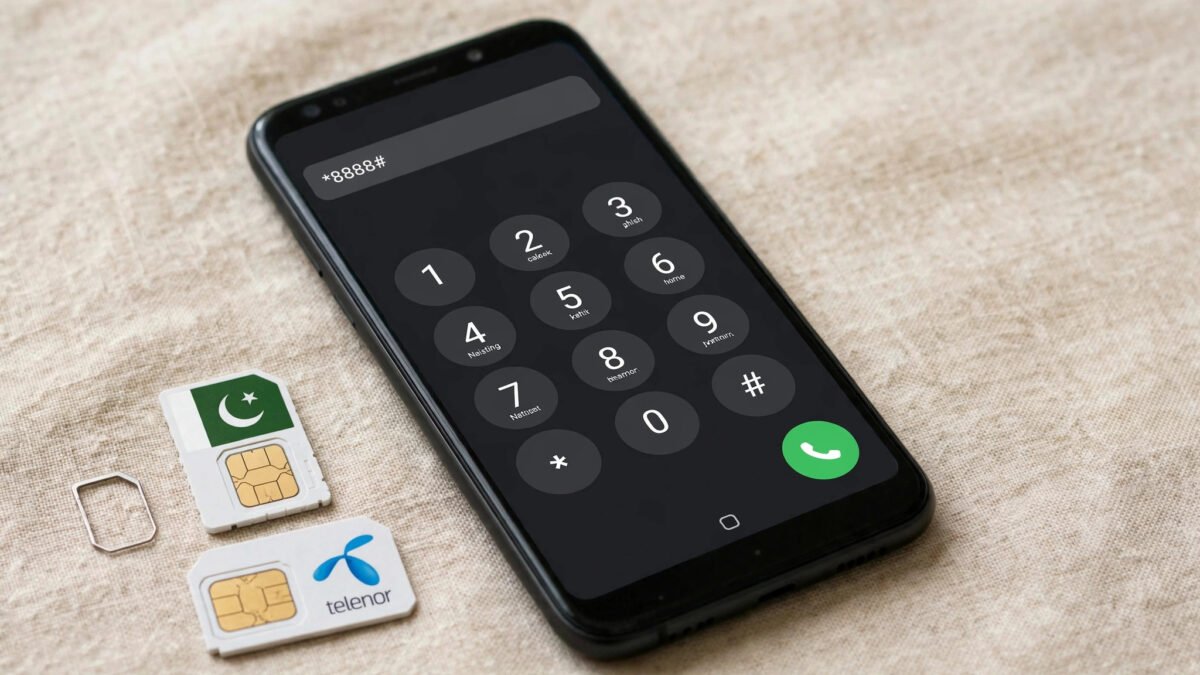
اپنا ٹیلی نار نمبر بھول جانا ایک عام بات ہے، خاص طور پر جب آپ نے نئی سم لی ہو یا آپ کے پاس ایک سے زیادہ سمیں ہوں۔ خوش قسمتی سے ٹیلی نار نمبر چیک کرنا بہت آسان ہے۔ بس اپنے موبائل سے *888# ڈائل کریں اور کال بٹن دبائیں۔ چند سیکنڈ میں آپ کا اپنا نمبر آپ کی سکرین پر نظر آ جائے گا۔ یہ سہولت مکمل طور پر مفت ہے اور بغیر بیلنس کے بھی کام کرتی ہے۔
ٹیلی نار پاکستان کے بڑے موبائل نیٹ ورکس میں سے ایک ہے اور اس کے صارفین ملک بھر میں پھیلے ہوئے ہیں۔ اگر کسی وجہ سے *888# کام نہ کرے تو ایک متبادل طریقہ بھی موجود ہے: آپ خالی ایس ایم ایس 7421 پر بھیج کر بھی اپنا نمبر معلوم کر سکتے ہیں۔ اس کے علاوہ مائی ٹیلی نار ایپ کے ذریعے بھی نمبر دیکھا جا سکتا ہے۔ اس مکمل گائیڈ میں ہم آپ کو تمام طریقے، مرحلہ وار ہدایات، جوابی پیغام کی تفصیل، عام مسائل کے حل، ٹیلی نار کے دیگر مفید کوڈز اور اکثر پوچھے جانے والے سوالات بتائیں گے۔
ٹیلی نار نمبر چیک کرنے کا مرحلہ وار طریقہ
اپنا ٹیلی نار نمبر معلوم کرنے کے لیے درج ذیل مراحل پر عمل کریں:
- مرحلہ 1: اپنے موبائل فون کا ڈائلر کھولیں۔
- مرحلہ 2: کی پیڈ پر *888# ٹائپ کریں۔
- مرحلہ 3: کال بٹن دبائیں۔
- مرحلہ 4: چند سیکنڈ انتظار کریں۔ سکرین پر ایک پیغام ظاہر ہوگا جس میں آپ کا مکمل ٹیلی نار نمبر لکھا ہوگا۔
- مرحلہ 5: نمبر نوٹ کر لیں یا اس کا سکرین شاٹ لے لیں۔
یہ عمل عام طور پر چند سیکنڈ میں مکمل ہو جاتا ہے اور آپ کو کسی ایس ایم ایس کا انتظار نہیں کرنا پڑتا۔
ایس ایم ایس کے ذریعے نمبر چیک کرنا (7421)
اگر *888# کسی وجہ سے کام نہ کرے تو آپ ایس ایم ایس کے ذریعے بھی اپنا نمبر معلوم کر سکتے ہیں:
- اپنے موبائل کا میسج ایپ کھولیں۔
- نیا میسج بنائیں اور وصول کنندہ (To) میں 7421 لکھیں۔
- میسج کا مواد خالی چھوڑ دیں یا کچھ بھی لکھ دیں۔
- سینڈ بٹن دبائیں۔
- چند لمحوں میں آپ کو جوابی ایس ایم ایس موصول ہوگا جس میں آپ کا نمبر درج ہوگا۔
یہ طریقہ خاص طور پر اس وقت مفید ہے جب آپ کے فون کا یو ایس ایس ڈی (USSD) فنکشن ٹھیک سے کام نہ کر رہا ہو۔
جوابی پیغام کیسا نظر آتا ہے؟
*888# ڈائل کرنے پر سکرین پر عام طور پر اس طرح کا پیغام آتا ہے:
“آپ کا موبائل نمبر 0345-6789012 ہے” یا انگریزی میں “Your mobile number is 03456789012”
ایس ایم ایس والے طریقے میں آپ کو 7421 سے جوابی میسج آتا ہے جس میں آپ کا نمبر لکھا ہوتا ہے۔ یہ میسج آپ کے ان باکس میں محفوظ رہتا ہے، اس لیے آپ اسے بعد میں بھی دیکھ سکتے ہیں۔
کیا ٹیلی نار نمبر چیک کرنے کی کوئی فیس ہے؟
نہیں، *888# ڈائل کرنا بالکل مفت ہے۔ آپ کے بیلنس سے کوئی رقم نہیں کٹتی۔ یہ کوڈ بغیر بیلنس کے بھی کام کرتا ہے، یعنی اگر آپ کے اکاؤنٹ میں صفر بیلنس ہے تب بھی آپ اپنا نمبر معلوم کر سکتے ہیں۔
مائی ٹیلی نار ایپ کے ذریعے نمبر معلوم کرنا
سمارٹ فون صارفین My Telenor App استعمال کر کے بھی اپنا نمبر دیکھ سکتے ہیں:
- پلے سٹور یا ایپ سٹور سے My Telenor App مفت ڈاؤن لوڈ کریں۔
- اپنے ٹیلی نار نمبر سے لاگ اِن کریں (او ٹی پی سے تصدیق ہوگی)۔
- ہوم سکرین پر سب سے اوپر آپ کا موبائل نمبر نظر آئے گا۔
اس ایپ میں بیلنس، انٹرنیٹ ایم بیز، کال منٹس اور پیکجز کی تفصیل بھی دیکھی جا سکتی ہے۔
دو سموں والے موبائل میں احتیاط
اگر آپ کے فون میں دو سمیں ہیں تو *888# ڈائل کرتے وقت ٹیلی نار والی سم منتخب کرنا نہ بھولیں۔ غلط سم سے ڈائل کرنے پر آپ کو دوسرے نیٹ ورک سے متعلق جواب ملے گا یا کوڈ کام نہیں کرے گا۔
عام مسائل اور ان کا حل
کوڈ ڈائل کرنے پر کوئی جواب نہیں آ رہا
پہلے سگنل چیک کریں۔ کمزور سگنل یا نو سروس کی صورت میں یو ایس ایس ڈی کوڈز کام نہیں کرتے۔ کھلی جگہ پر جا کر دوبارہ کوشش کریں۔ اگر پھر بھی جواب نہ آئے تو فون ری سٹارٹ کریں۔
7421 پر ایس ایم ایس نہیں جا رہا
اگر ایس ایم ایس سینڈ نہیں ہو رہا تو چیک کریں کہ آپ کے فون میں میسج سینٹر نمبر درست سیٹ ہے۔ بعض اوقات نیٹ ورک کی عارضی خرابی کی وجہ سے بھی ایس ایم ایس تاخیر سے جاتا ہے۔ تھوڑی دیر بعد دوبارہ کوشش کریں۔
نئی سم ایکٹیو نہیں ہوئی
نئی ٹیلی نار سم کو بایومیٹرک تصدیق کے بعد ایکٹیو کرنا لازمی ہے۔ بغیر ایکٹیویشن کے نمبر چیک کوڈ کام نہیں کرے گا۔
سم معطل ہو گئی ہے
طویل عرصے تک استعمال نہ ہونے پر سم معطل ہو سکتی ہے۔ ایسی صورت میں ٹیلی نار ہیلپ لائن 345 پر رابطہ کریں یا قریبی فرنچائز جائیں۔
ٹیلی نار کے دیگر مفید کوڈز
ٹیلی نار کے یہ کوڈز بھی آپ کے کام آئیں گے:
- *888# – اپنا نمبر چیک کریں
- *444# – بیلنس چیک کریں
- *345*000# – انٹرنیٹ پیکجز
- *0# – ایڈوانس بیلنس حاصل کریں
- *345# – مین مینیو
- 345 – ٹیلی نار ہیلپ لائن
- *786# – ایزی پیسہ مینیو
- 668 – اپنے شناختی کارڈ پر رجسٹرڈ سمیں چیک کریں (شناختی کارڈ نمبر ایس ایم ایس کریں)
اپنا نمبر کب اور کہاں ضرورت پڑتا ہے؟
اپنا موبائل نمبر آپ کو روزمرہ کے کئی کاموں میں درکار ہوتا ہے: آن لائن فارم، سرکاری سکیموں کی رجسٹریشن، بینک اکاؤنٹ یا ایزی پیسہ اکاؤنٹ، نوکری کی درخواستیں، اور دوستوں سے رابطہ۔ نمبر کو اپنے فون کے کانٹیکٹس میں “میرا نمبر” کے نام سے محفوظ کر لیں۔
نمبر کی حفاظت کے اصول
اپنا نمبر صرف قابل اعتماد افراد اور سرکاری اداروں کو دیں۔ انجان نمبروں سے آنے والی کالز پر اپنی ذاتی معلومات شیئر نہ کریں۔ اگر کوئی آپ کے نمبر کا غلط استعمال کرے تو ٹیلی نار ہیلپ لائن 345 یا پی ٹی اے سے رابطہ کریں۔
اکثر پوچھے گئے سوالات
ٹیلی نار کا نمبر چیک کرنے کا کوڈ کیا ہے؟
ٹیلی نار نمبر چیک کرنے کا کوڈ *888# ہے۔ اسے ڈائل کر کے کال بٹن دبائیں، آپ کا نمبر سکرین پر آ جائے گا۔
7421 پر ایس ایم ایس کیسے بھیجیں؟
نیا میسج بنائیں، وصول کنندہ میں 7421 لکھیں، مواد خالی چھوڑ کر سینڈ کر دیں۔ جواب میں آپ کو اپنا نمبر مل جائے گا۔
کیا *888# مفت ہے؟
جی ہاں، یہ سہولت مکمل طور پر مفت ہے اور بغیر بیلنس کے بھی کام کرتی ہے۔
کیا میں کسی اور کا ٹیلی نار نمبر چیک کر سکتا ہوں؟
نہیں، یہ کوڈ صرف اسی سم کا نمبر دکھاتا ہے جو آپ کے فون میں لگی ہے۔
کوڈ کام نہ کرے تو کیا کروں؟
سگنل چیک کریں، فون ری سٹارٹ کریں، یا ایس ایم ایس والا طریقہ (7421) آزمائیں۔ پھر بھی مسئلہ رہے تو ہیلپ لائن 345 پر کال کریں۔
کیا یہ کوڈ پرانے بٹنوں والے فون پر کام کرتا ہے؟
جی ہاں، *888# ہر قسم کے موبائل پر کام کرتا ہے۔
مائی ٹیلی نار ایپ میں نمبر کہاں نظر آتا ہے؟
لاگ اِن کے بعد ہوم سکرین پر سب سے اوپر آپ کا نمبر لکھا ہوتا ہے۔
کیا رومنگ میں نمبر چیک ہو سکتا ہے؟
جی ہاں، عام طور پر یہ کوڈ رومنگ میں بھی کام کرتا ہے، لیکن بہتر ہے نمبر پہلے سے نوٹ کر لیں۔
سم میرے نام پر نہیں ہے، کیا نمبر نظر آئے گا؟
جی ہاں، نمبر تو نظر آئے گا، لیکن سم اپنے نام پر منتقل کروانا بہتر ہے۔ 668 پر شناختی کارڈ نمبر بھیج کر چیک کریں کہ کون سی سمیں آپ کے نام پر ہیں۔
کیا 7421 پر ایس ایم ایس کی کوئی فیس ہے؟
عام طور پر اس کی کوئی خاص فیس نہیں ہوتی، لیکن اپنے پیکج کی شرائط چیک کر لیں۔ *888# والا طریقہ یقینی طور پر مفت ہے۔
ٹیلی نار سم کی ملکیت کیسے چیک کریں؟
بعض اوقات نمبر تو معلوم ہو جاتا ہے لیکن سم کسی اور کے نام پر رجسٹرڈ ہوتی ہے۔ اپنی سموں کی ملکیت چیک کرنے کے لیے اپنا شناختی کارڈ نمبر (بغیر ڈیش کے) ایس ایم ایس کے ذریعے 668 پر بھیجیں۔ جواب میں آپ کو ان تمام سموں کی فہرست ملے گی جو آپ کے شناختی کارڈ پر رجسٹرڈ ہیں۔ اگر آپ کی ٹیلی نار سم آپ کے نام پر نہیں ہے تو قریبی ٹیلی نار فرنچائز جا کر بایومیٹرک تصدیق سے اسے اپنے نام پر منتقل کروائیں۔ اپنے نام پر سم رکھنا قانونی تحفظ بھی دیتا ہے اور موبائل بینکنگ جیسی سہولتوں کے لیے بھی ضروری ہے۔
نتیجہ
ٹیلی نار نمبر معلوم کرنا بہت آسان ہے۔ *888# ڈائل کریں یا 7421 پر ایس ایم ایس بھیجیں، اور چند سیکنڈ میں اپنا نمبر حاصل کریں۔ یہ سہولت مفت ہے اور بغیر بیلنس کے کام کرتی ہے۔ متبادل کے طور پر مائی ٹیلی نار ایپ بھی بہترین آپشن ہے۔ اپنا نمبر ایک بار نوٹ کر کے محفوظ جگہ پر رکھیں۔ مزید مفید ٹیلی کام گائیڈز کے لیے فیٹی میڈیا پڑھتے رہیں۔
Telenor Number Check Code: How to Find Your Own Number?
Forgetting your Telenor number is common, especially when you have a new SIM or more than one SIM. Fortunately, checking your Telenor number is very easy. Just dial *888# from your phone and press the call button. Within seconds, your own number will appear on your screen. This service is completely free and works even without balance.
Telenor is one of Pakistan’s major mobile networks, with subscribers spread across the country. If *888# does not work for some reason, there is also an alternative method: you can send a blank SMS to 7421 to find out your number. Additionally, your number can be viewed through the My Telenor App. In this complete guide, we will explain all the methods, step-by-step instructions, what the reply message looks like, solutions to common problems, other useful Telenor codes, and frequently asked questions.
Step-by-Step Method to Check Your Telenor Number
Follow these steps to find out your Telenor number:
- Step 1: Open your phone’s dialer.
- Step 2: Type *888# on the keypad.
- Step 3: Press the call button.
- Step 4: Wait a few seconds. A message will appear on your screen showing your complete Telenor number.
- Step 5: Note down the number or take a screenshot.
This process usually completes within a few seconds, and you do not need to wait for any SMS.
Check Your Number via SMS (7421)
If *888# does not work for some reason, you can also find your number via SMS:
- Open your phone’s messaging app.
- Compose a new message and write 7421 in the recipient (To) field.
- Leave the message body empty or write anything.
- Press the send button.
- Within moments, you will receive a reply SMS containing your number.
This method is especially useful when your phone’s USSD function is not working properly.
What Does the Reply Message Look Like?
After dialing *888#, a message like this typically appears on your screen:
“Your mobile number is 0345-6789012” or in Urdu “آپ کا موبائل نمبر 03456789012 ہے”
With the SMS method, you receive a reply message from 7421 containing your number. This message stays saved in your inbox, so you can view it later as well.
Is There Any Fee for Checking Your Telenor Number?
No, dialing *888# is completely free. No money is deducted from your balance. This code works even without balance, meaning you can find your number even if your account has zero balance.
Find Your Number Through the My Telenor App
Smartphone users can also see their number using the My Telenor App:
- Download the My Telenor App free from the Play Store or App Store.
- Log in with your Telenor number (verification happens through OTP).
- Your mobile number will appear at the top of the home screen.
In this app, you can also see your balance, internet MBs, call minutes, and package details.
Care on a Dual-SIM Phone
If your phone has two SIMs, do not forget to select the Telenor SIM when dialing *888#. Dialing from the wrong SIM will give you a response related to the other network, or the code will not work.
Common Problems and Their Solutions
No response after dialing the code
First, check your signal. USSD codes do not work with a weak signal or no service. Move to an open area and try again. If there is still no response, restart your phone.
SMS to 7421 is not going through
If the SMS is not sending, check that the message center number is correctly set on your phone. Sometimes SMS gets delayed due to a temporary network issue. Try again after a while.
New SIM is not activated
A new Telenor SIM must be activated after biometric verification. Without activation, the number check code will not work.
SIM has been suspended
If a SIM is not used for a long time, it can get suspended. In that case, contact the Telenor helpline at 345 or visit the nearest franchise.
Other Useful Telenor Codes
These Telenor codes will also come in handy:
- *888# – Check your own number
- *444# – Check balance
- *345*000# – Internet packages
- *0# – Get advance balance
- *345# – Main menu
- 345 – Telenor helpline
- *786# – Easypaisa menu
- 668 – Check SIMs registered on your CNIC (SMS your CNIC number)
When and Where Do You Need Your Number?
You need your mobile number for many daily tasks: online forms, government scheme registrations, bank or Easypaisa accounts, job applications, and contacting friends. Save your number in your phone’s contacts under the name “My Number.”
Number Safety Rules
Share your number only with trusted people and official institutions. Do not share your personal information on calls from unknown numbers. If someone misuses your number, contact the Telenor helpline at 345 or the PTA.
How to Check Telenor SIM Ownership
Sometimes you know the number, but the SIM is registered in someone else’s name. To check the ownership of your SIMs, send your CNIC number (without dashes) via SMS to 668. In reply, you will receive a list of all SIMs registered against your CNIC. If your Telenor SIM is not in your name, visit the nearest Telenor franchise and get it transferred to your name through biometric verification. Keeping the SIM in your own name gives you legal protection and is also necessary for services like mobile banking.
Frequently Asked Questions
What is the Telenor number check code?
The Telenor number check code is *888#. Dial it and press the call button, and your number will appear on your screen.
How do I send an SMS to 7421?
Compose a new message, write 7421 in the recipient field, leave the body empty, and send it. You will receive your number in reply.
Is *888# free?
Yes, this service is completely free and works even without balance.
Can I check someone else’s Telenor number?
No, this code only shows the number of the SIM inserted in your phone.
What should I do if the code does not work?
Check your signal, restart your phone, or try the SMS method (7421). If the problem persists, call helpline 345.
Does this code work on old keypad phones?
Yes, *888# works on all types of mobile phones.
Where does the number appear in the My Telenor App?
After logging in, your number is written at the top of the home screen.
Can I check my number while roaming?
Yes, this code generally works while roaming too, but it is better to note down your number in advance.
The SIM is not in my name, will the number still show?
Yes, the number will still show, but it is better to get the SIM transferred to your name. Send your CNIC number to 668 to check which SIMs are in your name.
Is there any fee for the SMS to 7421?
Generally there is no special fee, but check your package terms. The *888# method is definitely free.
Number Check for Postpaid and Corporate Users
If you are a Telenor postpaid or corporate user, the *888# code works for you exactly the same way as it does for prepaid users. Postpaid users can also view their number on their monthly bill or in the My Telenor App under the account section. Corporate users who received their SIM through their employer can confirm the number with their company’s admin department as well. In all cases, dialing *888# remains the quickest method because it reads the number directly from the SIM card itself, regardless of the account type.
Keeping Your Telenor Number Active
Once you have found your number, make sure it stays active. A Telenor SIM that is not used for a long period can be suspended and eventually recycled, meaning your number could be given to someone else. To keep your number active, make at least one chargeable activity (a call, SMS, or internet use) every few months, or keep a small balance loaded. If your SIM does get suspended, visit a Telenor franchise quickly with your original CNIC, because reactivation is only possible within a limited grace period. Saving your number in your contacts and noting your SIM’s activation date helps you avoid losing a number you care about.
Save Your Number the Smart Way
After checking your number, do not rely on memory alone. Save it in your phone’s contacts as “My Telenor Number,” write it in a notes app, or keep a photo of the SIM packet. Many users also set their own number as their WhatsApp profile or share it with a trusted family member. These small habits save you from repeating the check every time a form or registration asks for your number.
Conclusion
Finding your Telenor number is very easy. Dial *888# or send an SMS to 7421, and get your number within seconds. This service is free and works without balance. As an alternative, the My Telenor App is also an excellent option. Note down your number once and keep it in a safe place. Keep reading Feitdimedia for more useful telecom guides.