







Wise (TransferWise) Pakistan: Freelancers Guide 2026
Wise — جسے پہلے TransferWise کہا جاتا تھا — دنیا کے سب سے شفاف اور سستے بین الاقوامی منی ٹرانسفر پلیٹ فارمز میں سے ایک ہے۔ اگر آپ پاکستان سے فری لانسنگ کرتے ہیں اور سوچ رہے ہیں کہ ڈالر یا یورو میں پیمنٹ وصول کرنے کا سب سے سستا طریقہ کون سا ہے، تو Wise آپ کے لیے ایک مضبوط آپشن ہے۔ 2026 میں Wise پاکستان میں کام کرتا ہے، اکاؤنٹ بنانا مفت ہے، اور آپ اصل مارکیٹ ریٹ (mid-market rate) پر کرنسی تبدیل کر کے براہِ راست اپنے پاکستانی بینک اکاؤنٹ میں رقم منگوا سکتے ہیں۔
اس گائیڈ میں ہم Wise اکاؤنٹ سیٹ اپ کا مکمل طریقہ، USD اور EUR وصول کرنے کے مراحل، Wise اور Payoneer کی فیس کا ایماندارانہ موازنہ، اور پاکستانی بینکوں میں رقم منتقل کرنے کا عمل سٹیپ بائی سٹیپ سمجھائیں گے۔ ساتھ ہی Wise کے فوائد، نقصانات اور اکثر پوچھے گئے سوالات بھی شامل ہیں۔
Wise کیا ہے اور یہ کیسے کام کرتا ہے؟
Wise ایک برطانوی فنانشل ٹیکنالوجی کمپنی ہے جو 2011 میں قائم ہوئی۔ اس کی بنیادی خصوصیت “اصل ایکسچینج ریٹ” ہے — یعنی وہی ریٹ جو آپ گوگل پر دیکھتے ہیں، بغیر پوشیدہ مارجن کے۔ زیادہ تر بینک اور پیمنٹ سروسز کرنسی ریٹ میں اپنا منافع چھپا لیتی ہیں، لیکن Wise ایک واضح، پہلے سے بتائی گئی فیس لیتا ہے اور باقی رقم اصل ریٹ پر تبدیل کرتا ہے۔
Wise کا “ملٹی کرنسی اکاؤنٹ” آپ کو 40 سے زائد کرنسیوں میں پیسے رکھنے اور 10 بڑی کرنسیوں (USD، GBP، EUR، AUD وغیرہ) کے لیے مقامی بینک تفصیلات دیتا ہے۔ یعنی آپ کو امریکی ڈالر وصول کرنے کے لیے امریکی اکاؤنٹ نمبر اور روٹنگ نمبر، اور یورو کے لیے IBAN ملتا ہے۔ پاکستانی فری لانسر کے لیے اس کا مطلب ہے کہ غیر ملکی کلائنٹ آپ کو عام مقامی بینک ٹرانسفر کے ذریعے پیسے بھیج سکتا ہے۔
ایک اہم وضاحت: Wise بنیادی طور پر ایک منی ٹرانسفر سروس ہے، Payoneer کی طرح فری لانسنگ پلیٹ فارمز (Fiverr/Upwork) کے ساتھ اس کا براہِ راست انضمام نہیں ہے۔ Fiverr اور Upwork سے رقم نکالنے کے لیے پاکستانی فری لانسرز عام طور پر Payoneer استعمال کرتے ہیں، جبکہ براہِ راست کلائنٹس سے پیمنٹ اور بین الاقوامی منتقلی کے لیے Wise اکثر سستا پڑتا ہے۔
Wise اکاؤنٹ بنانے کی شرائط
- CNIC یا پاسپورٹ: تصدیق کے لیے قومی شناختی کارڈ یا پاسپورٹ درکار ہوتا ہے۔
- ای میل ایڈریس: فعال ای میل، بہتر ہے کہ Gmail ہو۔
- موبائل نمبر: پاکستانی نمبر جس پر SMS تصدیقی کوڈ آ سکے۔
- پتہ: پاکستان کا رہائشی پتہ۔
- عمر: کم از کم 18 سال۔
نوٹ کریں کہ Wise کی اکاؤنٹ تفصیلات (USD اکاؤنٹ وغیرہ) حاصل کرنے کے لیے بعض اوقات ایک چھوٹی سی تصدیقی رقم جمع کرانی پڑتی ہے یا شناخت کی مکمل تصدیق درکار ہوتی ہے۔ یہ عمل دھوکہ دہی سے بچاؤ کے لیے ہے۔
Wise اکاؤنٹ سیٹ اپ: مکمل طریقہ
مرحلہ 1: رجسٹریشن
Wise کی آفیشل ویب سائٹ یا موبائل ایپ پر جائیں اور Sign Up پر کلک کریں۔ اپنا ای میل ایڈریس درج کریں، پاکستان بطور ملک منتخب کریں، اور اکاؤنٹ کی قسم “Personal” رکھیں (فری لانسرز کے لیے یہی مناسب ہے)۔ ایک مضبوط پاس ورڈ بنائیں۔
مرحلہ 2: ذاتی معلومات
اپنا اصل نام (CNIC کے مطابق)، تاریخِ پیدائش، پتہ اور موبائل نمبر درج کریں۔ موبائل نمبر پر آنے والے SMS کوڈ سے تصدیق کریں۔ یہاں بھی دو قدمی تصدیق آن کرنا نہ بھولیں۔
مرحلہ 3: شناخت کی تصدیق
اپنے CNIC یا پاسپورٹ کی واضح تصویر اپ لوڈ کریں۔ Wise کی ٹیم عام طور پر چند گھنٹوں سے 2 کاروباری دنوں میں تصدیق مکمل کر دیتی ہے۔ بعض صورتوں میں سیلفی بھی مانگی جا سکتی ہے۔
مرحلہ 4: کرنسی بیلنس کھولیں
تصدیق کے بعد ڈیش بورڈ میں “Open a balance” پر کلک کر کے USD، EUR یا GBP بیلنس کھولیں۔ ہر کرنسی کے لیے آپ کو مقامی بینک تفصیلات (اکاؤنٹ نمبر، روٹنگ نمبر یا IBAN) مل جائیں گی جنہیں آپ کلائنٹ کو دے سکتے ہیں۔
USD اور EUR کیسے وصول کریں
بیلنس کھولنے کے بعد متعلقہ کرنسی کی “Get account details” پر کلک کریں۔ USD کے لیے آپ کو ایک امریکی اکاؤنٹ نمبر اور روٹنگ نمبر ملے گا؛ EUR کے لیے IBAN اور BIC/SWIFT کوڈ۔ یہ تفصیلات اپنے کلائنٹ کو بھیج دیں — وہ اپنے بینک سے عام مقامی ٹرانسفر کرے گا اور رقم 1 سے 2 کاروباری دنوں میں آپ کے Wise بیلنس میں آ جائے گی۔
اہم نکتہ: یہ اکاؤنٹ تفصیلات صرف اسی کرنسی میں رقم وصول کرنے کے لیے ہیں۔ مثلاً USD اکاؤنٹ میں یورو بھیجنے سے رقم پھنس سکتی ہے یا واپس جا سکتی ہے۔ ہمیشہ کلائنٹ کو صحیح کرنسی کی تفصیلات دیں۔
وصول شدہ رقم آپ Wise بیلنس میں رکھ سکتے ہیں، اسی کرنسی میں آگے خرچ کر سکتے ہیں (Wise ڈیبٹ کارڈ کے ذریعے جہاں دستیاب ہو)، یا پاکستانی روپے میں تبدیل کر کے اپنے بینک میں بھیج سکتے ہیں۔
Wise بمقابلہ Payoneer: فیس کا ایماندارانہ موازنہ
یہ وہ سوال ہے جو ہر پاکستانی فری لانسر پوچھتا ہے۔ دونوں کے اپنے مضبوط پہلو ہیں:
- کرنسی ریٹ: Wise اصل مارکیٹ ریٹ دیتا ہے جبکہ Payoneer ریٹ میں اپنا مارجن رکھتا ہے۔ بڑی رقم پر یہ فرق ہزاروں روپے کا ہو سکتا ہے — یہاں Wise واضح فاتح ہے۔
- ٹرانسفر فیس: Wise ہر منتقلی پر ایک واضح فیصد فیس لیتا ہے (کرنسی کے حساب سے مختلف، عام طور پر 0.5 سے 1 فیصد کے لگ بھگ)۔ Payoneer پاکستانی بینک میں منتقلی پر تقریباً 2 فیصد لیتا ہے۔ زیادہ تر کیسز میں Wise سستا پڑتا ہے۔
- Fiverr/Upwork انضمام: یہاں Payoneer جیتتا ہے — دونوں پلیٹ فارمز Payoneer کے ساتھ براہِ راست جڑے ہیں، جبکہ Wise سے براہِ راست ودڈرال کا آپشن عام طور پر دستیاب نہیں۔
- رفتار: دونوں میں بینک منتقلی 1 سے 3 کاروباری دن لیتی ہے۔ Wise کی ٹرانسفر ٹریکنگ زیادہ شفاف ہے۔
- اکاؤنٹ فیس: دونوں کا بنیادی اکاؤنٹ مفت ہے۔
عملی حکمتِ عملی جو کئی تجربہ کار فری لانسرز استعمال کرتے ہیں: Fiverr/Upwork کی کمائی Payoneer میں وصول کریں، اور براہِ راست کلائنٹس سے پیمنٹ Wise میں لیں۔ بڑی بین الاقوامی منتقلی کے لیے Wise کا ریٹ بہتر ہوتا ہے۔ دونوں اکاؤنٹ رکھنے میں کوئی حرج نہیں — یہ قانونی اور عام رواج ہے۔
پاکستانی بینک میں رقم منتقل کرنے کا طریقہ
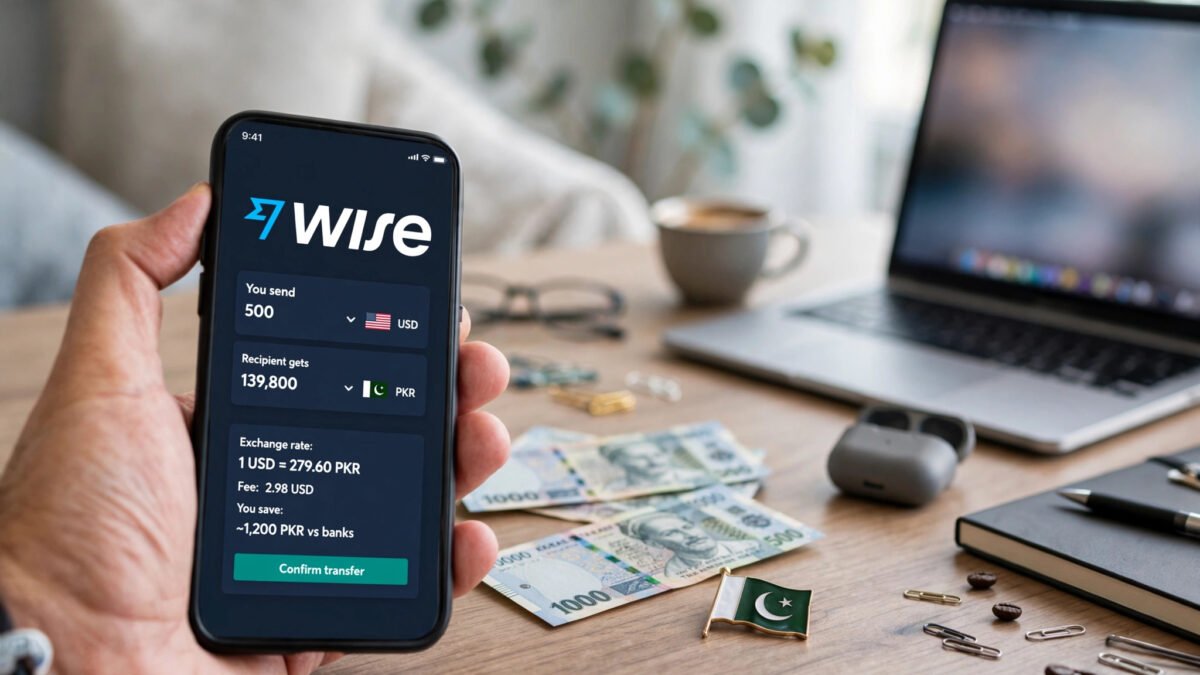
Wise سے پاکستان رقم بھیجنا بہت آسان ہے۔ ڈیش بورڈ میں “Send money” پر کلک کریں، بھیجنے والی کرنسی (مثلاً USD) اور وصول کرنے والی کرنسی (PKR) منتخب کریں۔ رقم درج کرتے ہی Wise آپ کو اصل ریٹ، فیس اور وصول کنندہ کو ملنے والی حتمی رقم پہلے سے دکھا دیتا ہے — کوئی پوشیدہ کٹوتی نہیں۔
وصول کنندہ کی تفصیلات
پہلی بار اپنے پاکستانی بینک اکاؤنٹ کی تفصیلات شامل کریں: اکاؤنٹ ہولڈر کا نام، بینک کا نام، اکاؤنٹ نمبر اور IBAN۔ یہ تفصیلات محفوظ ہو جاتی ہیں، اگلی بار صرف منتخب کرنا ہوتا ہے۔
رقم بھیجنا اور ٹریکنگ
تفصیلات کی تصدیق کے بعد ٹرانسفر کنفرم کریں۔ Wise ہر مرحلے پر ای میل اور ایپ نوٹیفکیشن بھیجتا ہے — رقم کب نکلی، کب تبدیل ہوئی، کب بینک کو بھیجی گئی۔ عام طور پر رقم 1 سے 2 کاروباری دنوں میں پاکستانی بینک اکاؤنٹ میں پہنچ جاتی ہے۔ MCB، HBL، UBL، Allied اور Meezan سمیت تمام بڑے بینکوں میں منتقلی کامیابی سے ہوتی ہے۔
ایک عملی مشورہ: اگر آپ کو جلدی نہیں ہے تو بڑی رقم ایک ساتھ بھیجیں — فیس فیصد کے حساب سے ہوتی ہے لیکن ہر ٹرانسفر کا ایک معمولی فکسڈ حصہ بھی ہوتا ہے، اس لیے چھوٹی چھوٹی منتقلیاں مہنگی پڑتی ہیں۔
Wise کے فوائد اور نقصانات
فوائد: اصل مارکیٹ ریٹ، مکمل شفاف فیس، تیز اور قابلِ ٹریک منتقلی، 40 سے زائد کرنسیوں کی سپورٹ، بہترین موبائل ایپ، اور بین الاقوامی کلائنٹس کے لیے پیشہ ورانہ امیج۔
نقصانات: Fiverr/Upwork سے براہِ راست ودڈرال عام طور پر ممکن نہیں؛ پاکستانی روپے کا بیلنس رکھنے کی سہولت محدود ہو سکتی ہے؛ کسٹمر سپورٹ صرف انگریزی میں ہے؛ اور بعض اوقات نئے اکاؤنٹس پر پہلی بڑی ٹرانسفر پر اضافی تصدیق مانگی جاتی ہے جس سے تاخیر ہو سکتی ہے۔
مجموعی طور پر Wise ان فری لانسرز کے لیے بہترین ہے جن کے براہِ راست غیر ملکی کلائنٹس ہیں اور جو ہر ڈالر کی قدر بچانا چاہتے ہیں۔ اگر آپ کی ساری کمائی Fiverr/Upwork سے آتی ہے تو Payoneer آپ کی پہلی ضرورت رہے گا، اور Wise دوسرے آپشن کے طور پر کام آئے گا۔
اکثر پوچھے گئے سوالات
کیا Wise پاکستان میں قانونی ہے؟
جی ہاں۔ Wise ایک باقاعدہ لائسنس یافتہ فنانشل ادارہ ہے اور پاکستان میں اس کی سروسز قانونی ہیں۔ رقم اسٹیٹ بینک کے ضوابط کے مطابق بینکنگ چینل سے آتی ہے۔ آپ کی فری لانسنگ آمدنی پر ٹیکس کے قوانین لاگو ہوتے ہیں، اس لیے ٹیکس کنسلٹنٹ سے مشورہ ضرور کریں۔
Wise اکاؤنٹ بنانا مفت ہے؟
جی ہاں، بنیادی اکاؤنٹ اور ملٹی کرنسی بیلنس کھولنا مفت ہے۔ فیس صرف اس وقت لگتی ہے جب آپ رقم بھیجتے ہیں یا کرنسی تبدیل کرتے ہیں — اور وہ فیس پہلے سے واضح بتائی جاتی ہے۔
Wise سے پاکستان رقم آنے میں کتنا وقت لگتا ہے؟
عام طور پر 1 سے 2 کاروباری دن۔ پہلی ٹرانسفر میں تصدیق کی وجہ سے تھوڑا زیادہ وقت لگ سکتا ہے۔ Wise ایپ میں ہر ٹرانسفر کی لائیو ٹریکنگ دستیاب ہوتی ہے۔
کیا میں Wise سے Fiverr کی کمائی نکال سکتا ہوں؟
عام طور پر نہیں — Fiverr اور Upwork براہِ راست Wise میں ودڈرال کی سہولت نہیں دیتے۔ ان پلیٹ فارمز کے لیے Payoneer استعمال کریں، پھر چاہیں تو Payoneer سے Wise میں رقم منتقل کر سکتے ہیں (اس پر دونوں طرف فیس لگے گی، اس لیے حساب کر کے فیصلہ کریں)۔
Wise کا ریٹ واقعی گوگل والے ریٹ جیسا ہوتا ہے؟
جی ہاں، Wise “mid-market rate” استعمال کرتا ہے — وہی ریٹ جو آپ گوگل پر سرچ کرنے پر دیکھتے ہیں۔ اس کے اوپر صرف ایک واضح فیس لی جاتی ہے، ریٹ میں کوئی پوشیدہ مارجن نہیں رکھا جاتا۔ یہی Wise کی سب سے بڑی طاقت ہے۔
کیا Wise کا ڈیبٹ کارڈ پاکستان میں ملتا ہے؟
Wise ڈیبٹ کارڈ کی دستیابی ملک کے حساب سے مختلف ہوتی ہے اور پاکستان میں اس کی فراہمی محدود رہی ہے۔ زیادہ تر پاکستانی صارفین Wise کو صرف رقم وصول کرنے اور بینک میں منتقل کرنے کے لیے استعمال کرتے ہیں، جو اس کا اصل مقصد بھی ہے۔
نتیجہ
Wise 2026 میں پاکستانی فری لانسرز کے لیے ایک شفاف اور سستا آپشن ہے — خاص طور پر براہِ راست کلائنٹس سے USD یا EUR وصول کرنے اور اصل مارکیٹ ریٹ پر روپے میں تبدیل کرنے کے لیے۔ Payoneer کے مقابلے میں اس کی فیس کم اور ریٹ بہتر ہوتا ہے، البتہ Fiverr اور Upwork سے براہِ راست ودڈرال کی کمی اس کی سب سے بڑی حد ہے۔
سمجھدار حکمتِ عملی یہ ہے کہ دونوں اکاؤنٹ رکھیں: پلیٹ فارم کی کمائی کے لیے Payoneer، اور براہِ راست کلائنٹس و بین الاقوامی منتقلی کے لیے Wise۔ اکاؤنٹ آج ہی بنائیں، تصدیق مکمل کریں، اور پہلی چھوٹی ٹرانسفر سے سسٹم آزمائیں۔ اور ہمیشہ کی طرح — اپنی لاگ اِن تفصیلات کسی سے شیئر نہ کریں۔
Wise (TransferWise) Pakistan: Freelancers Guide 2026
Wise — formerly known as TransferWise — is one of the world’s most transparent and cheapest international money transfer platforms. If you freelance from Pakistan and are wondering about the cheapest way to receive payments in dollars or euros, Wise is a strong option. In 2026, Wise works in Pakistan, creating an account is free, and you can convert currency at the real market rate (mid-market rate) and send money directly to your Pakistani bank account.
In this guide, we explain the complete Wise account setup process, the steps for receiving USD and EUR, an honest fee comparison between Wise and Payoneer, and the process of transferring money to Pakistani banks — step by step. We have also included Wise’s advantages, disadvantages and frequently asked questions.
What Is Wise and How Does It Work?
Wise is a British financial technology company founded in 2011. Its core feature is the “real exchange rate” — the same rate you see on Google, with no hidden margin. Most banks and payment services hide their profit inside the currency rate, but Wise charges a clear, upfront fee and converts the rest at the real rate.
Wise’s “multi-currency account” lets you hold money in more than 40 currencies and gives you local bank details for 10 major currencies (USD, GBP, EUR, AUD and others). That means you get a US account number and routing number for receiving American dollars, and an IBAN for euros. For a Pakistani freelancer, this means a foreign client can send you money through a regular local bank transfer.
One important clarification: Wise is primarily a money transfer service — unlike Payoneer, it has no direct integration with freelancing platforms (Fiverr/Upwork). To withdraw earnings from Fiverr and Upwork, Pakistani freelancers generally use Payoneer, while Wise often works out cheaper for payments from direct clients and international transfers.
Requirements for a Wise Account
- CNIC or passport: A national identity card or passport is required for verification.
- Email address: An active email — Gmail is preferable.
- Mobile number: A Pakistani number that can receive the SMS verification code.
- Address: Your residential address in Pakistan.
- Age: At least 18 years old.
Note that getting Wise account details (like a USD account) sometimes requires depositing a small verification amount or completing full identity verification. This is an anti-fraud measure.
Wise Account Setup: Full Method
Step 1: Registration
Go to Wise’s official website or mobile app and click Sign Up. Enter your email address, select Pakistan as your country, and keep the account type as “Personal” (this suits freelancers). Create a strong password.
Step 2: Personal Information
Enter your real name (as on your CNIC), date of birth, address and mobile number. Verify with the SMS code sent to your mobile number. Do not forget to turn on two-factor authentication here either.
Step 3: Identity Verification
Upload a clear photo of your CNIC or passport. Wise’s team usually completes verification within a few hours to 2 business days. A selfie may be requested in some cases.
Step 4: Open Currency Balances
After verification, click “Open a balance” on the dashboard to open USD, EUR or GBP balances. For each currency you receive local bank details (account number, routing number or IBAN) that you can share with clients.
How to Receive USD and EUR
After opening a balance, click “Get account details” for the relevant currency. For USD you will get a US account number and routing number; for EUR, an IBAN and BIC/SWIFT code. Send these details to your client — they make a regular local transfer from their bank, and the money arrives in your Wise balance within 1 to 2 business days.
Important: these account details are only for receiving money in that same currency. Sending euros to a USD account, for example, can get the money stuck or returned. Always give the client the details for the correct currency.
You can keep received money in your Wise balance, spend it in the same currency (via the Wise debit card where available), or convert it to Pakistani rupees and send it to your bank.
Wise vs Payoneer: An Honest Fee Comparison
This is the question every Pakistani freelancer asks. Both have their strengths:
- Exchange rate: Wise gives the real market rate, while Payoneer keeps its own margin in the rate. On large amounts this difference can run into thousands of rupees — Wise is the clear winner here.
- Transfer fee: Wise charges a clear percentage fee per transfer (varies by currency, generally around 0.5 to 1 percent). Payoneer charges roughly 2 percent for transfers to a Pakistani bank. In most cases Wise works out cheaper.
- Fiverr/Upwork integration: Payoneer wins here — both platforms connect directly with Payoneer, while direct withdrawal to Wise is generally not available.
- Speed: Bank transfers take 1 to 3 business days on both. Wise’s transfer tracking is more transparent.
- Account fee: The basic account is free on both.
A practical strategy many experienced freelancers use: receive Fiverr/Upwork earnings in Payoneer, and take payments from direct clients in Wise. For large international transfers, Wise’s rate is better. There is nothing wrong with holding both accounts — it is legal and common practice.
How to Transfer Money to a Pakistani Bank
Sending money to Pakistan via Wise is very simple. On the dashboard, click “Send money” and select the sending currency (e.g., USD) and the receiving currency (PKR). As soon as you enter the amount, Wise shows you the real rate, the fee, and the final amount the recipient will get — all upfront, with no hidden deductions.
Recipient Details
The first time, add your Pakistani bank account details: account holder name, bank name, account number and IBAN. These details are saved, so next time you only need to select them.
Sending and Tracking
Confirm the details and approve the transfer. Wise sends email and app notifications at every stage — when the money leaves, when it is converted, and when it is sent to the bank. The money usually reaches the Pakistani bank account within 1 to 2 business days. Transfers to all major banks, including MCB, HBL, UBL, Allied and Meezan, go through successfully.
A practical tip: if you are not in a hurry, send larger amounts together — the fee is percentage-based but each transfer also has a small fixed component, so tiny frequent transfers cost more.
Wise’s Advantages and Disadvantages
Advantages: real market rate, fully transparent fees, fast and trackable transfers, support for 40+ currencies, an excellent mobile app, and a professional image for international clients.
Disadvantages: direct withdrawal from Fiverr/Upwork is generally not possible; holding a PKR balance can be limited; customer support is in English only; and new accounts sometimes face extra verification on the first large transfer, which can cause delays.
Overall, Wise is best for freelancers with direct foreign clients who want to save every dollar’s worth. If all your earnings come from Fiverr/Upwork, Payoneer remains your primary need, with Wise serving as the second option.
Frequently Asked Questions
Is Wise legal in Pakistan?
Yes. Wise is a properly licensed financial institution and its services are legal in Pakistan. Money arrives through the banking channel in line with State Bank regulations. Tax laws apply to your freelancing income, so do consult a tax consultant.
Is creating a Wise account free?
Yes — the basic account and opening multi-currency balances are free. Fees apply only when you send money or convert currency — and those fees are shown clearly upfront.
How long does it take for Wise money to reach Pakistan?
Usually 1 to 2 business days. The first transfer can take slightly longer due to verification. Live tracking of every transfer is available in the Wise app.
Can I withdraw my Fiverr earnings to Wise?
Generally no — Fiverr and Upwork do not offer direct withdrawal to Wise. Use Payoneer for those platforms; you can then move money from Payoneer to Wise if you wish (both sides charge fees, so do the math before deciding).
Is Wise’s rate really the same as the Google rate?
Yes — Wise uses the “mid-market rate”, the same rate you see when you search on Google. Only a clear fee is charged on top; no hidden margin is kept in the rate. That is Wise’s biggest strength.
Is the Wise debit card available in Pakistan?
Wise debit card availability varies by country and has remained limited in Pakistan. Most Pakistani users use Wise purely for receiving money and transferring it to a bank, which is its core purpose anyway.
Conclusion
Wise is a transparent and affordable option for Pakistani freelancers in 2026 — especially for receiving USD or EUR from direct clients and converting at the real market rate into rupees. Compared to Payoneer, its fees are lower and its rates better, though the lack of direct Fiverr and Upwork withdrawal is its biggest limitation.
The smart strategy is to hold both accounts: Payoneer for platform earnings, and Wise for direct clients and international transfers. Create your account today, complete verification, and test the system with a small first transfer. And as always — never share your login details with anyone.