




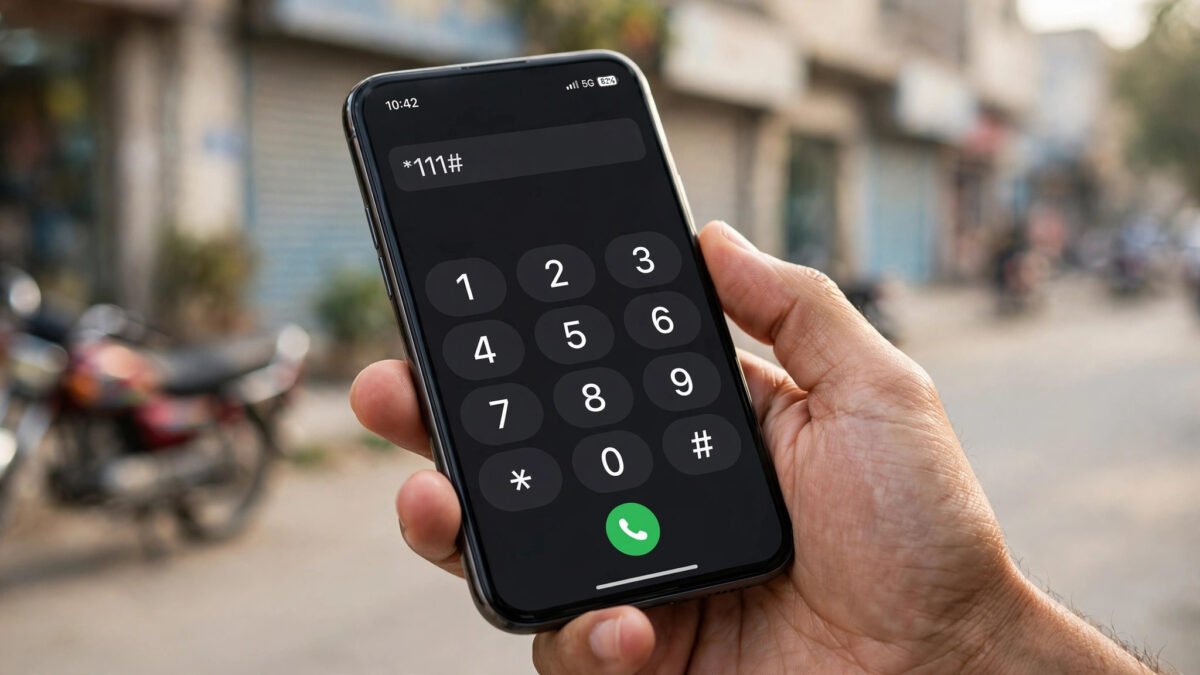
جیاز بیلنس چیک کوڈ 2026: *111# سے بیلنس معلوم کرنے کا مکمل طریقہ
اگر آپ جیاز (Jazz) کی سم استعمال کرتے ہیں اور یہ جاننا چاہتے ہیں کہ آپ کے اکاؤنٹ میں کتنا بیلنس باقی ہے تو سب سے آسان اور تیز طریقہ *111# ڈائل کرنا ہے۔ اپنے موبائل فون کے ڈائل پیڈ پر *111# لکھیں اور کال کا بٹن دبائیں۔ چند سیکنڈ میں آپ کی اسکرین پر ایک چھوٹی سی ونڈو کھلے گی جس میں آپ کا موجودہ بیلنس لکھا ہوگا۔ یہ کوڈ جیاز کے تمام پری پیڈ صارفین کے لیے کام کرتا ہے، چاہے آپ کے پاس کوئی پیکج ہو یا نہ ہو۔
بیلنس چیک کرنے کا یہ طریقہ سرکاری ہے اور چوبیس گھنٹے دستیاب رہتا ہے۔ آپ کو نہ تو انٹرنیٹ کی ضرورت ہے اور نہ ہی کسی ایپ کی — بس کوڈ ڈائل کریں اور بیلنس دیکھیں۔ البتہ ہر بیلنس چیک پر ایک معمولی چارج (عام طور پر تقریباً 24 پیسے ٹیکس سمیت) کٹتا ہے، اس لیے بار بار چیک کرنے کے بجائے Jazz World ایپ بہتر ہے جو مفت میں بیلنس دکھاتی ہے۔ اس آرٹیکل میں *111# کا طریقہ، Jazz World ایپ، ہیلپ لائن، چارجز کی تفصیل، اور بیلنس چیک ناکام ہونے کی صورت میں حل — سب کچھ تفصیل سے بتائیں گے۔
*111# سے بیلنس چیک کرنے کا مرحلہ وار طریقہ
*111# ڈائل کرنا اتنا آسان ہے کہ اس میں کسی تکنیکی مہارت کی ضرورت نہیں۔ ذیل میں قدم بہ قدم طریقہ دیا گیا ہے:
- سب سے پہلے اپنے موبائل فون کا ڈائل پیڈ (جہاں سے نمبر ملائے جاتے ہیں) کھولیں۔
- اب *111# ٹائپ کریں — یاد رکھیں کہ ستارے (*) سے شروع کریں، پھر 111، پھر ہی ہیش (#) لگائیں۔
- کال (سبز بٹن) دبائیں۔ یہ کوئی عام کال نہیں بلکہ USSD ریکویسٹ ہے، یعنی یہ کال نہیں لگے گی۔
- چند سیکنڈ انتظار کریں۔ آپ کی اسکرین پر ایک پاپ اپ میسج آئے گا جس میں “Your current balance is Rs. XX” جیسا پیغام ہوگا۔
- اس پیغام کو پڑھ کر OK یا Cancel دبائیں۔
اگر آپ ڈوئل سم موبائل استعمال کرتے ہیں تو یقینی بنائیں کہ *111# آپ کی جیاز والی سم سے ڈائل ہو رہا ہے۔ ڈائل کرتے وقت سم 1 اور سم 2 کا انتخاب پوچھا جائے تو جیاز والی سم منتخب کریں۔
بیلنس چیک کرنے کے دوسرے طریقے
*111# کے علاوہ جیاز نے اپنے صارفین کے لیے بیلنس معلوم کرنے کے مزید کئی طریقے بھی فراہم کیے ہیں۔ ہر طریقے کے اپنے فائدے ہیں:
Jazz World ایپ سے بیلنس چیک کریں (مفت طریقہ)
Jazz World ایپ گوگل پلے اسٹور اور ایپل ایپ اسٹور دونوں سے مفت ڈاؤن لوڈ کی جا سکتی ہے۔ ایپ انسٹال کرنے کے بعد اپنے جیاز نمبر سے لاگ ان کریں (آپ کو ایک SMS کوڈ موصول ہوگا)۔ لاگ ان ہوتے ہی ہوم اسکرین پر آپ کا موجودہ بیلنس، باقی ایم بیز، منٹس اور SMS نظر آئیں گے۔ اس طریقے کی سب سے بڑی خوبی یہ ہے کہ یہ بالکل مفت ہے — ہر چیک پر کوئی چارج نہیں کٹتا۔ اس کے علاوہ آپ ایپ سے پیکجز بھی لگا سکتے ہیں، لوڈ بھی کر سکتے ہیں، اور بیلنس کی تفصیلی ہسٹری بھی دیکھ سکتے ہیں۔ اگر آپ دن میں کئی بار بیلنس چیک کرتے ہیں تو یہی طریقہ آپ کے لیے بہترین ہے۔
ہیلپ لائن 111 پر کال کریں
اپنے جیاز نمبر سے 111 ڈائل کریں۔ یہ جیاز کی کسٹمر سروس ہیلپ لائن ہے۔ کال لگنے کے بعد خودکار نظام (IVR) آپ کو مختلف آپشنز بتائے گا — بیلنس معلوم کرنے کا آپشن منتخب کریں اور آپ کا بیلنس بتا دیا جائے گا۔ اس کال پر ایک معمولی چارج لگتا ہے، اس لیے یہ طریقہ صرف اس وقت استعمال کریں جب *111# اور ایپ دونوں کام نہ کر رہے ہوں، یا جب آپ کو کسی نمائندے سے بات کرنی ہو۔
واٹس ایپ سیلف سروس
جیاز نے واٹس ایپ پر سیلف سروس نمبر بھی دیا ہے۔ اپنے موبائل میں 03003008000 نمبر محفوظ کریں، اس پر واٹس ایپ میں “Hi” لکھ کر بھیجیں، پھر جو مینیو آئے اس میں بیلنس چیک کا آپشن (عام طور پر نمبر 4) منتخب کریں۔ یہ طریقہ خاص طور پر ان لوگوں کے لیے مفید ہے جو واٹس ایپ زیادہ استعمال کرتے ہیں اور USSD کوڈ یاد نہیں رکھ پاتے۔
جیاز بیلنس چیک چارجز اور ٹیکس کی تفصیل
جیاز پر *111# ڈائل کر کے بیلنس چیک کرنا مفت نہیں ہے۔ ہر بار کوڈ ڈائل کرنے پر آپ کے اکاؤنٹ سے ایک چھوٹی سی رقم کاٹ لی جاتی ہے جو عام طور پر تقریباً 24 پیسے (ٹیکس سمیت) ہوتی ہے۔ اگر آپ دن میں کئی بار بیلنس چیک کرنے کے عادی ہیں تو مہینے کے آخر میں یہ چھوٹے چھوٹے چارجز ایک نمایاں رقم بن سکتے ہیں۔
اسی لیے ماہرین کا مشورہ ہے کہ بیلنس چیک کے لیے Jazz World ایپ استعمال کریں جو مکمل طور پر مفت ہے۔ ایک اور اہم بات یہ کہ بیلنس چیک کے لیے آپ کے اکاؤنٹ میں کم از کم چارج کے برابر بیلنس ہونا چاہیے — صفر بیلنس پر *111# کام نہیں کرے گا۔ کمپنی وقتاً فوقتاً چارجز میں تبدیلی کر سکتی ہے، اس لیے تازہ ترین چارجز کی تصدیق Jazz World ایپ یا 111 ہیلپ لائن سے کر لیں۔
اگر *111# کام نہ کرے تو کیا کریں؟ (ٹربل شوٹنگ)
کبھی کبھار *111# ڈائل کرنے پر کوئی جواب نہیں آتا یا ایرر میسج دکھائی دیتا ہے۔ گھبرانے کی ضرورت نہیں — اکثر یہ عارضی مسئلہ ہوتا ہے۔ ذیل میں عام مسائل اور ان کے حل دیے گئے ہیں:
- کوڈ ڈائل کرنے پر کچھ نہیں ہوتا: سب سے پہلے نیٹ ورک سگنل چیک کریں۔ کمزور سگنل پر USSD ریکویسٹ اکثر ناکام ہو جاتی ہے۔ کھلی جگہ جا کر دوبارہ کوشش کریں۔
- ایرر یا “Connection problem” کا میسج: یہ عام طور پر نیٹ ورک کی عارضی بھیڑ کی وجہ سے ہوتا ہے۔ چند منٹ انتظار کریں اور دوبارہ کوشش کریں۔ مسئلہ برقرار رہے تو فون ری اسٹارٹ کریں۔
- غلط سم سے ڈائل ہو رہا ہے: ڈوئل سم صارفین چیک کریں کہ کال کون سی سم سے جا رہی ہے۔ جیاز والی سم کو ڈیفالٹ کالنگ سم بنانا بھی اچھا حل ہے۔
- بیلنس غلط نظر آ رہا ہے: لوڈ کروانے یا پیکج لگانے کے فوراً بعد بیلنس اپ ڈیٹ ہونے میں 2 سے 5 منٹ لگ سکتے ہیں۔ تھوڑا انتظار کر کے دوبارہ چیک کریں۔
- کوڈ بالکل کام نہیں کر رہا: متبادل طریقے آزمائیں — Jazz World ایپ کھولیں، یا واٹس ایپ سیلف سروس (03003008000) استعمال کریں، یا 111 پر کال کریں۔
- سم نئی یا غیر فعال ہے: بالکل نئی سم پر پہلے ایکٹیویشن مکمل ہونا ضروری ہے۔ اگر سم عرصے سے بند تھی تو پہلے اسے ری ایکٹیویٹ کروائیں۔
اگر ان تمام کوششوں کے باوجود مسئلہ حل نہ ہو تو 111 پر کال کر کے کسٹمر سروس نمائندے سے بات کریں۔ وہ آپ کے اکاؤنٹ کی حیثیت چیک کر کے مسئلہ حل کر سکتے ہیں۔
بیلنس بچانے کے 7 آزمودہ طریقے
بیلنس چیک کرنا تو آسان ہے، اصل چیلنج بیلنس کو ضائع ہونے سے بچانا ہے۔ بہت سے صارفین شکایت کرتے ہیں کہ لوڈ کروانے کے چند دن بعد بیلنس غائب ہو جاتا ہے۔ اس کی سب سے بڑی وجہ انٹرنیٹ کا پس منظر میں استعمال (background data) ہے — جب آپ کے پاس کوئی انٹرنیٹ پیکج نہیں ہوتا تو موبائل ڈیٹا آن ہونے پر بیلنس سے پیسے کٹتے رہتے ہیں۔ ذیل میں بیلنس بچانے کے مؤثر طریقے ہیں:
- بیلنس سیو کوڈ لگائیں: جیاز کا بیلنس سیو کوڈ ڈائل کریں۔ اس کے بعد آپ کا بیلنس انٹرنیٹ استعمال پر خودکار طور پر نہیں کٹے گا۔
- انٹرنیٹ پیکج لگائیں: باقاعدہ انٹرنیٹ استعمال کرنے والوں کے لیے ہفتہ وار یا ماہانہ انٹرنیٹ بنڈل لگانا بہترین طریقہ ہے، کیونکہ پیکج کے بغیر ڈیٹا کے نرخ بہت زیادہ ہوتے ہیں۔
- موبائل ڈیٹا بند رکھیں: جب انٹرنیٹ کی ضرورت نہ ہو تو موبائل ڈیٹا آف کر دیں، خاص طور پر رات کو سوتے وقت۔
- بیک گراؤنڈ ڈیٹا محدود کریں: فون کی سیٹنگ میں جا کر غیر ضروری ایپس کا بیک گراؤنڈ ڈیٹا بند کر دیں، جیسے خودکار اپ ڈیٹس۔
- وائی فائی استعمال کریں: گھر یا دفتر میں وائی فائی دستیاب ہو تو موبائل ڈیٹا کے بجائے وائی فائی استعمال کریں۔
- غیر ضروری سبسکرپشنز ختم کریں: Jazz World ایپ میں “My Subscriptions” چیک کر کے ایسی سروسز بند کر دیں جو روزانہ بیلنس کاٹتی ہیں۔
- بیلنس چیک ایپ سے کریں: *111# پر ہر بار چارج لگتا ہے جبکہ Jazz World ایپ مفت ہے۔ روزانہ کی عادت ایپ کی بنا لیں۔
جیاز بیلنس چیک سے متعلق اکثر پوچھے جانے والے سوالات
کیا *111# ڈائل کرنا مفت ہے؟
نہیں، *111# پر ہر چیک پر ایک معمولی چارج لگتا ہے جو عام طور پر تقریباً 24 پیسے (ٹیکس سمیت) ہوتا ہے۔ بار بار چیک کرنے والوں کے لیے Jazz World ایپ بہتر ہے جو بالکل مفت ہے اور بیلنس کے ساتھ باقی ایم بیز اور منٹس بھی دکھاتی ہے۔ چارجز تبدیل ہو سکتے ہیں، تازہ ترین معلومات ایپ یا 111 سے حاصل کریں۔
کیا وارید (Warid) کی سم پر بھی *111# کام کرتا ہے؟
جی ہاں۔ وارید اور موبی لنک کے انضمام کے بعد اب دونوں ایک ہی کمپنی “جیاز” کا حصہ ہیں۔ پرانی وارید سموں پر بھی *111# اسی طرح کام کرتا ہے، اور چارجز بھی یکساں ہیں۔ آپ کو کوئی الگ کوڈ یاد رکھنے کی ضرورت نہیں۔
*111# ڈائل کرنے پر “Invalid MMI code” کا ایرر کیوں آتا ہے؟
یہ ایرر عام طور پر تین وجوہات سے آتا ہے: پہلی، آپ کے علاقے میں نیٹ ورک سگنل بہت کمزور ہے؛ دوسری، آپ نے کوڈ غلط ٹائپ کیا ہے (مثلاً *111# کے بجائے *111 ڈائل کر دیا)؛ تیسری، عارضی نیٹ ورک مسئلہ۔ حل یہ ہے کہ کوڈ دوبارہ احتیاط سے ٹائپ کریں، سگنل بہتر جگہ پر جا کر کوشش کریں، اور اگر مسئلہ برقرار رہے تو فون ری اسٹارٹ کر کے دوبارہ ڈائل کریں۔
بغیر بیلنس کے بیلنس کیسے چیک کریں؟
اگر آپ کے اکاؤنٹ میں بالکل بیلنس نہیں ہے تو *111# کام نہیں کرے گا کیونکہ چیک کا چارج بھی بیلنس سے ہی کٹتا ہے۔ ایسی صورت میں وائی فائی پر Jazz World ایپ کھولیں — ایپ میں بیلنس (صفر) اور پیکج کی تفصیل مفت نظر آ جائے گی۔ متبادل طور پر کسی دوست سے تھوڑا بیلنس ٹرانسفر کروا لیں یا لوڈ کروا کر پھر *111# ڈائل کریں۔
جیاز بیلنس چیک کرنے کا سب سے سستا طریقہ کون سا ہے؟
سب سے سستا بلکہ مفت طریقہ Jazz World ایپ ہے۔ ایپ میں بیلنس، انٹرنیٹ ایم بیز، کال منٹس اور SMS — سب کچھ ایک اسکرین پر مفت نظر آتا ہے۔ دوسرا مفت طریقہ واٹس ایپ سیلف سروس ہے (اس میں صرف واٹس ایپ کا ڈیٹا استعمال ہوتا ہے)۔ *111# تیز ضرور ہے لیکن ہر بار چارج لگتا ہے، اس لیے روزانہ استعمال کے لیے ایپ بہتر ہے۔
کیا میں دوسرے نیٹ ورک کی سم سے جیاز کا بیلنس چیک کر سکتا ہوں؟
نہیں، *111# صرف جیاز کی سم سے کام کرتا ہے کیونکہ USSD کوڈز نیٹ ورک مخصوص ہوتے ہیں۔ کسی اور کے جیاز نمبر کا بیلنس دیکھنے کے لیے اس فون تک رسائی ضروری ہے۔
بیلنس چیک کرنے پر ٹیکس کتنا کٹتا ہے؟
بیلنس انکوائری چارج پر حکومت کے مقرر کردہ ٹیکسز لاگو ہوتے ہیں۔ عام طور پر بتائی گئی رقم (تقریباً 24 پیسے) ٹیکس سمیت ہوتی ہے۔ ٹیکس کی شرح تبدیل ہونے پر حتمی کٹوتی میں تھوڑا فرق آ سکتا ہے۔ درست اور تازہ ترین چارج جاننے کے لیے Jazz World ایپ یا 111 ہیلپ لائن سے رابطہ کریں۔
رات کے وقت *111# کام کرتا ہے؟
جی ہاں، *111# چوبیس گھنٹے کام کرتا ہے — دن ہو یا رات، ہفتے کا کوئی بھی دن۔ USSD سروس میں کوئی “دفتری اوقات” کی پابندی نہیں۔ اگر رات کو کوڈ کام نہ کرے تو اس کی وجہ نیٹ ورک کی عارضی خرابی ہوگی، وقت کی پابندی نہیں۔
نتیجہ
جیاز کا بیلنس چیک کرنا 2026 میں بھی بہت آسان ہے — بس *111# ڈائل کریں اور بیلنس اسکرین پر۔ البتہ ہوشیار صارف ہر چیک پر لگنے والے معمولی چارج سے بچنے کے لیے Jazz World ایپ استعمال کرتا ہے جو مفت ہے اور پیکجز کا مکمل کنٹرول بھی دیتی ہے۔ بیلنس بچانے کے لیے بیلنس سیو کوڈ لگائیں، انٹرنیٹ پیکج استعمال کریں، اور غیر ضروری سبسکرپشنز بند کریں۔
Jazz Balance Check Code 2026: Check Balance with *111#
The fastest way to check your Jazz balance in 2026 is to dial *111# from your Jazz prepaid SIM. Open your phone’s dialer, type *111#, press the call button, and within a few seconds a pop-up window will appear on your screen showing your current remaining balance. This is Jazz’s official balance inquiry code and it works for all prepaid customers, whether or not you have any package active.
The *111# method needs no internet connection and no app — it works on every phone, from basic keypad phones to the latest smartphones, and it is available 24 hours a day, seven days a week. One thing to keep in mind is that every balance check through *111# carries a small fee (usually around Rs. 0.24 including tax), which is deducted from your balance. Because of this, frequent balance checkers are better off using the free Jazz World app. In this guide we cover the *111# method step by step, the Jazz World app alternative, helpline options, exact charges, what to do when the code fails, and practical tips to stop your balance from disappearing.
How to Check Jazz Balance with *111#: Step by Step
Dialing *111# is so simple that no technical skill is required. Here is the exact process:
- Open your phone’s dialer (where you type phone numbers).
- Type *111# — start with the star (*), then 111, then the hash (#).
- Press the call (green) button. This is a USSD request, not a real call, so no call will be connected.
- Wait a few seconds. A pop-up message will appear saying something like “Your current balance is Rs. XX”.
- Read it and press OK or Cancel to dismiss.
If you use a dual-SIM phone, make sure the request goes out from your Jazz SIM. Most phones ask you to pick SIM 1 or SIM 2 when you press call — choose the one with your Jazz SIM in it. If the request goes from the wrong SIM, the code will either fail or show an error.
Other Ways to Check Your Jazz Balance
Besides *111#, Jazz offers several other official ways to check your balance. Each has its own advantages:
Jazz World App (Free Method)
The Jazz World app is available free on the Google Play Store and Apple App Store. After installing, log in with your Jazz number (you will receive an SMS verification code). The moment you log in, your home screen shows your current balance, remaining MBs, minutes, and SMS — all without any charge. This is the best method if you check your balance several times a day, because unlike *111#, it costs nothing per check. The app also lets you subscribe to packages, recharge your account, and view your detailed usage history.
Helpline 111
Dial 111 from your Jazz number to reach Jazz customer service. Follow the automated voice menu (IVR) and choose the balance inquiry option to hear your balance. A small per-call charge applies, so use this method only when *111# and the app are both unavailable, or when you need to speak to a representative about an account issue.
WhatsApp Self Service
Jazz also runs a WhatsApp self-service line. Save the number 03003008000 on your phone, send “Hi” to it on WhatsApp, and then pick the balance check option (usually option 4) from the menu that appears. This is handy if you use WhatsApp a lot and cannot remember USSD codes.
Jazz Balance Check Charges and Tax Details
Checking your balance with *111# is not free. Each inquiry deducts a small fee from your account, usually around Rs. 0.24 including tax per check. The fee applies to every single inquiry, whether you check once a day or ten times. If you are in the habit of checking your balance repeatedly, these small deductions add up to a noticeable amount by the end of the month.
That is why experts recommend the Jazz World app for routine balance checks — it is completely free. Another important point: you need at least enough balance to cover the inquiry fee. If your balance is exactly zero, *111# will not work — in that case use the Jazz World app over Wi-Fi, or recharge first. Note that operators can revise charges from time to time, so confirm the latest fee through the app or by calling 111.
What to Do If *111# Does Not Work (Troubleshooting)
Sometimes dialing *111# produces no response or shows an error. Do not panic — it is usually a temporary issue. Here are the common problems and their fixes:
- Nothing happens after dialing: Check your network signal first. USSD requests often fail on weak signals. Move to an open area or near a window and try again.
- Error or “Connection problem” message: This is usually caused by temporary network congestion. Wait a few minutes and retry. If it persists, restart your phone.
- Request going from the wrong SIM: Dual-SIM users should check which SIM is set for calls. Setting your Jazz SIM as the default calling SIM is a good permanent fix.
- Balance looks wrong: After a recharge or package activation, the system can take 2 to 5 minutes to update. Wait a little and check again.
- Code not working at all: Try the alternatives — open the Jazz World app, use WhatsApp self-service (03003008000), or call 111.
- New or inactive SIM: A brand-new SIM must complete activation first. If your SIM was off for a long time, get it reactivated before the code will work.
If none of these fixes work, call 111 and speak to a customer service representative. They can check your account status and resolve the issue from their side.
7 Proven Tips to Save Your Jazz Balance
Checking your balance is easy; the real challenge is stopping it from disappearing. The biggest culprit is background internet usage — when you have no internet bundle and mobile data is on, money keeps getting deducted from your balance. Here are effective ways to protect it:
- Activate the balance save code: Dial Jazz’s balance save code so your balance is not automatically consumed by internet usage. Confirm the current code in the Jazz World app.
- Subscribe to an internet bundle: Regular internet users should get a weekly or monthly data bundle, because out-of-bundle data rates are very expensive.
- Keep mobile data off: Turn off mobile data when you do not need the internet, especially at night before sleeping.
- Limit background data: In your phone settings, restrict background data for apps you do not need constantly syncing, such as automatic updates.
- Use Wi-Fi: At home or the office, use Wi-Fi instead of mobile data whenever it is available.
- Cancel unwanted subscriptions: Check “My Subscriptions” in the Jazz World app and deactivate any paid services (ringtones, info SMS services, etc.) that deduct balance daily.
- Check balance through the app: *111# charges a fee every time, while the Jazz World app is free. Make the app your daily habit.
Frequently Asked Questions About Jazz Balance Check
Is dialing *111# free?
No. Each balance inquiry through *111# carries a small fee, usually around Rs. 0.24 including tax per check. The amount is deducted from your balance every time you dial the code. If you check your balance often, switch to the Jazz World app, which is completely free and also shows your remaining MBs and minutes. Charges can change over time, so verify the latest fee through the app or by calling 111.
Does *111# work on old Warid SIMs?
Yes. After the Mobilink-Warid merger, both are part of one company — Jazz — and all customers are on the same platform. *111# works exactly the same on old Warid SIMs as on Jazz SIMs, with the same charges. You do not need to remember any separate code.
Why do I get an “Invalid MMI code” error?
This error usually has three causes: very weak network signal in your area, a typing mistake (for example dialing *111 without the #), or a temporary network glitch. The fix is to retype the code carefully, move to a place with better signal, and retry. If the problem continues, restart your phone and dial again.
How can I check my balance with zero balance?
If your account balance is completely zero, *111# will not work because the inquiry fee itself is deducted from your balance. In that case, open the Jazz World app over Wi-Fi — it will show your balance (zero) and package details for free. Alternatively, get a small balance transfer from a friend or recharge, then dial *111#.
What is the cheapest way to check Jazz balance?
The cheapest — in fact free — method is the Jazz World app. It shows your balance, internet MBs, call minutes, and SMS on one screen at no cost. WhatsApp self-service is another nearly free option (it only uses a tiny amount of WhatsApp data). *111# is fast but charges a fee each time, so the app is better for daily use.
Can I check Jazz balance from another network’s SIM?
No. *111# only works from a Jazz SIM because USSD codes are network-specific. To check someone else’s Jazz balance, you need access to that phone, or that person can log in to the Jazz World app and send you a screenshot.
How much tax is deducted on a balance check?
Government taxes apply to the balance inquiry charge. The commonly quoted figure (around Rs. 0.24) is usually inclusive of tax. If tax rates change, the final deduction may differ slightly. For the exact current charge, check the Jazz World app or call 111.
Does *111# work at night?
Yes. *111# works 24 hours a day — there are no office-hour restrictions on USSD services. If the code fails at night, the cause is a temporary network issue, not a time restriction.
Conclusion
Checking your Jazz balance in 2026 remains as simple as ever — just dial *111# and your balance appears on screen. But a smart user avoids the small per-check fee by making the free Jazz World app a daily habit. The app not only shows your balance for free but also gives you full control over packages, usage history, and subscriptions. And if your balance keeps disappearing too fast, activate the balance save code, use an internet bundle, and cancel unwanted subscriptions. These small habits will keep every rupee safe.