





NADRA CNIC Renewal 2026: Online aur Office Dono Tareeqay
Agar aap ka qomi shanakhti card (CNIC) expire honay wala hai ya ho chuka hai to pareshan na hon. NADRA CNIC renewal 2026 mein pehle se zyada asaan hai — aap ghar baithe Pak-ID mobile app se online apply kar sakte hain ya qareebi NADRA office ja kar walk-in renewal karwa sakte hain. Dono tareeqay official aur mehfooz hain, aur naya CNIC aap ke diye gaye patay par deliver ho jata hai.
Is mukammal guide mein CNIC renewal ka har pehlu samjhaya gaya hai: zaroori documents, Pak-ID app se step-by-step online apply, office ka walk-in process, fee categories (Normal, Urgent, Executive), delivery time, application tracking aur expired CNIC ke baray mein har ahem sawal ka jawab. Aakhir mein aksar pooche jane wale sawalat ke jawab bhi shamil hain.
CNIC Kab Renew Karwana Chahiye?
CNIC ki expiry date card ke aglay hisse par likhi hoti hai. Behtar hai ke expiry se kuch haftay pehle hi apply kar den taake aap kabhi baghair valid card ke na rahen. Expired CNIC bank accounts, mobile SIMs, sarkari daftar ke kaam aur safar mein masail paida kar sakta hai. Yaad rahen ke NADRA expired CNIC bhi renew kar deta hai — card kayi saal purana ho tab bhi koi pabandi nahi. Renewal ke mauqe par agar naam, pata ya doosri maloomat tabdeel hui hai to usay bhi update karwaya ja sakta hai.
CNIC Renewal ke Liye Zaroori Documents
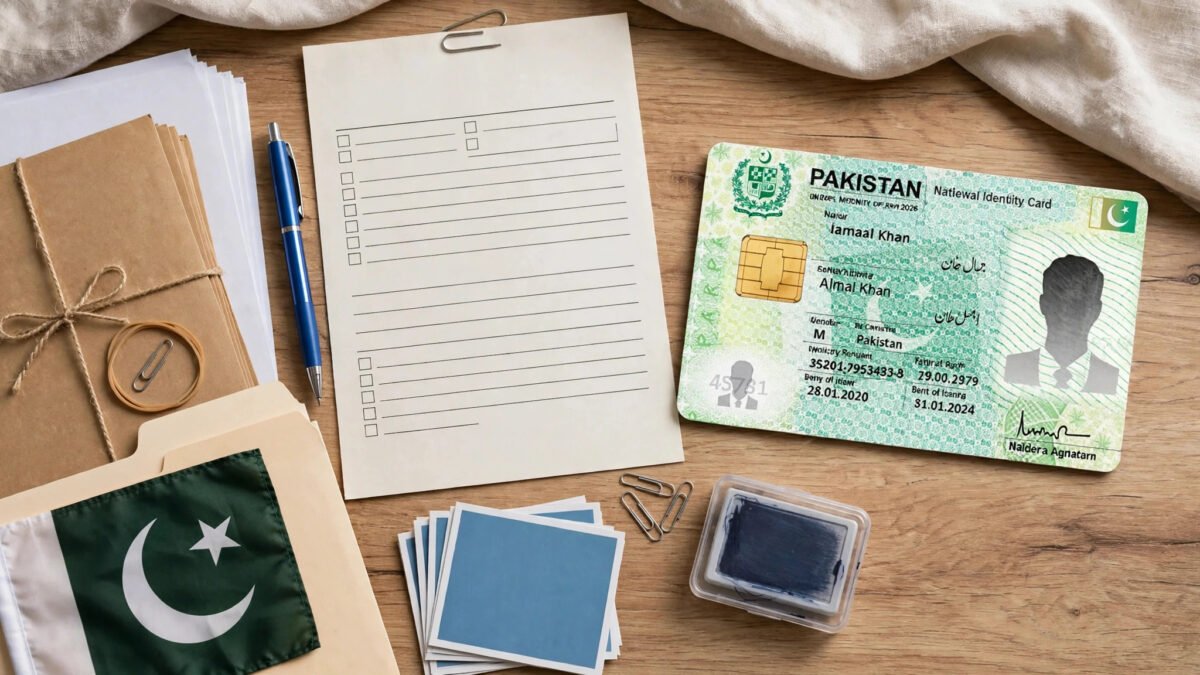
Renewal ke liye documents naye CNIC ki nisbat bohat kam darkar hotay hain, kyun ke aap ka record pehle se NADRA ke database mein mojood hai:
- Purana CNIC (original) — chahe expire ho chuka ho, renewal isi ki bunyad par hota hai.
- Fresh photograph — app mein mobile se tasveer len, office mein NADRA ka camera tasveer leta hai.
- Fingerprints — app mein mobile sensor se ya office mein biometric machine par ungliyon ke nishan.
- Address proof — sirf pata tabdeel karwane ki soorat mein, masalan bijli ka bill ya kiraya nama.
- Fee adayegi ka saboot — online payment receipt ya bank challan.
- Waldain ya shareek-e-hayat ke CNIC ki copy — baz auqat tasdeeq ke liye maangi ja sakti hai.
Pak-ID App se CNIC Online Renewal Ka Tareeqa (Step-by-Step)
Pak-ID NADRA ki official mobile application hai jo Play Store aur App Store par muft dastiyab hai. Online renewal ka mukammal tareeqa darj-e-zel hai:
- Step 1: Pak-ID app download aur install karen. Sirf NADRA ki official app istemal karen, kisi teesri party app par maloomat na den.
- Step 2: App mein account banayen — mobile number, email aur CNIC number darj karen. Tasdeeq ke liye mobile par code (OTP) aayega.
- Step 3: Login ke baad “Apply Now” par CNIC se mutaliq option mein “CNIC Renewal” muntakhib karen.
- Step 4: Form mein maloomat darj karen. Jo details tabdeel nahi huin unhen waisa rehne den, jahan update darkar ho wahan nayi maloomat likhen.
- Step 5: Matlooba documents ki wazeh tasaveer upload karen — sab se ahem puranay CNIC ki tasveer hai.
- Step 6: App ki hidayat par mobile sensor se ungliyon ke nishan scan karen. Ye biometric tasdeeq lazmi hai.
- Step 7: App ke camera se live tasveer len — peechay sada deewar ho aur chehra wazeh nazar aaye.
- Step 8: Fee category (Normal, Urgent ya Executive) muntakhib kar ke debit/credit card se online fee ada karen. Latest fee app mein nazar aati hai.
- Step 9: Submit karne par tracking ID milegi. Isay mehfooz rakh len — isi se status maloom hoga.
- Step 10: Card tayyar honay par NADRA naya CNIC aap ke patay par courier se bhej dega.
NADRA Office se Walk-in Renewal Ka Tareeqa
Agar online apply nahi karna chahte to qareebi NADRA Registration Center ja kar bhi renewal ho sakta hai:
- Step 1: Purana CNIC aur documents le kar NADRA office jayen — subah sawere jana behtar hai.
- Step 2: Token counter se renewal ka token len aur bari ka intezar karen. Baray shehron mein Pak-ID app se appointment bhi book ho sakti hai.
- Step 3: Bari par form pur karen ya officer ko maloomat batayen. Pata ya doosri tabdeeli ho to wazeh bata den.
- Step 4: Biometric machine par fingerprints den, tasveer khichwayen aur digital signature karen — ye kaam chand minute mein ho jata hai.
- Step 5: Fee counter par muntakhib category ke mutabiq fee jama karwa kar receipt len. Tracking number receipt par darj hoga.
- Step 6: Receipt sambhal kar rakhen. Card tayyar honay par patay par bhej diya jayega ya office se wasool karna hoga — hidayat receipt par likhi hoti hai.
CNIC Renewal Fee: Normal, Urgent aur Executive Categories
NADRA teen service categories paish karta hai — farq sirf delivery ki raftaar ka hai, card ki quality aur qanoni haisiyat aik jaisi hoti hai. Normal sab se sasti lekin sab se slow, Urgent darmiyani fee par tez, aur Executive sab se zyada fee par sab se tez service hai. Fee waqt ke sath tabdeel hoti rehti hai, is liye apply se pehle latest fee nadra.gov.pk ya Pak-ID app par zaroor check karen. Fee debit/credit card ya office mein cash se ada ho sakti hai. Aik dafa jama fee wapas nahi hoti, is liye category soch kar muntakhib karen.
CNIC Delivery Mein Kitna Time Lagta Hai?
Delivery ka waqt muntakhib category par munhasir hai — Normal mein sab se zyada din, Urgent mein numayan kam, aur Executive mein sab se jald card milta hai. Eid ya chhuttiyon mein thori takheer ho sakti hai. Exact timeframes apply karte waqt website ya app par dikhaye jatay hain. Card courier se diye gaye patay par bheja jata hai, is liye pata mukammal aur durust likhen.
Application Status Kaise Track Karen
Apply ke baad card ki tayyari ka status maloom karna asaan hai:
- SMS service: CNIC number (baghair dashes) likh kar 8400 par SMS karen — jawab mein status maloom ho jayega.
- NADRA website: nadra.gov.pk ke tracking section mein tracking number ya CNIC number darj karen.
- Pak-ID app: App se apply kiya ho to status app mein hi dekha ja sakta hai.
- Helpline: 1777 (mobile se) ya 051-111-786-100 par call kar ke maloomat len.
Agar CNIC Expired Ho Chuka Hai To Kya Karen?
Ye khayal ghalat hai ke expired CNIC renew nahi ho sakta ya jurmana lagta hai. NADRA expired CNIC ko aam renewal ki tarah hi renew kar deta hai — koi alag karwai darkar nahi. Bas upar bataye tareeqay par amal karen: purana expired card pesh karen aur fee ada karen. Albata expired CNIC se bank transaction, SIM tasdeeq aur safar mein dikkat ho sakti hai, is liye jald renewal behtar hai. Apply ke baad milne wali receipt aarzi saboot ka kaam de sakti hai, lekin asal sahoolat naya card milne par hoti hai.
CNIC Renewal ke Aksar Pooche Jane Wale Sawalat (FAQs)
Kya expired CNIC ko renew karwaya ja sakta hai?
Ji haan, bilkul. NADRA expired CNIC bhi renew kar deta hai — koi alag process ya jurmana nahi. Pak-ID app ya office se aam renewal ki tarah apply karen.
Kya CNIC renewal ghar baithe online ho sakti hai?
Ji haan. Pak-ID app se mukammal process ghar baithe hota hai — form, documents, fingerprints, tasveer aur fee sab app mein, aur naya card patay par deliver ho jata hai.
Online apply ke liye fingerprints kaise diye jatay hain?
Pak-ID app smartphone ke fingerprint sensor se kaam leti hai. App ki hidayat par ungli sensor par rakhen. Sensor kaam na kare to NADRA office ja kar biometric karwayen.
Kya renewal fee online ada ki ja sakti hai?
Ji haan. App mein debit/credit card se online payment hoti hai. Office mein cash ya card dono qabool hain.
Agar mera pata tabdeel ho gaya hai to kya karun?
Renewal ke waqt naya pata darj karwayen. Address proof (bijli ka bill ya kiraya nama) sath le jayen ya app mein upload karen.
Mera CNIC gum ho gaya hai, kya renewal hogi?
Gumshuda card par duplicate CNIC ke liye apply hota hai, jiska process renewal jaisa hai. Pehle police station mein gumshudgi ki report darj karwana behtar hai.
Kya overseas Pakistani online renew karwa sakte hain?
Ji haan. Overseas Pakistanis Pak-ID app se duniya mein kahin se bhi renewal ke liye apply kar sakte hain. NICOP ki sahoolat bhi mojood hai.
CNIC renewal mein kitna waqt lagta hai?
Muntakhib category par munhasir hai — Normal sab se slow, Urgent darmiyana, Executive sab se tez. Mojooda timeframes apply karte waqt website ya app par check karen.
8400 par SMS ka jawab na aaye to kya karun?
Pehle tasdeeq karen ke CNIC number baghair dashes bheja hai. Phir bhi jawab na aaye to helpline 1777 par rabta karen ya website par tracking azmayen.
Kya renewal ke liye walidain ka CNIC lazmi hai?
Aam renewal mein sirf aap ka purana CNIC kafi hai. Baz khaas sooraton mein walidain ke CNIC ki copy maangi ja sakti hai, is liye sath rakhna munasib hai.
Nateeja
NADRA CNIC renewal 2026 mein ab koi mushkil kaam nahi. Pak-ID app se ghar baithe online apply karen ya office ja kar walk-in karwayen — process wazeh aur seedha hai. Apply se pehle documents mukammal karen, latest fee official website ya app par check karen, aur zaroorat ke mutabiq Normal, Urgent ya Executive muntakhib karen. Expiry ka intezar kiye baghair waqt par renewal karwayen taake bank, SIM, safar ya sarkari daftar ke kaamon mein rukawat na aaye. Tracking number sambhal kar rakhen aur 8400 SMS ya helpline 1777 se status maloom karte rahen.
NADRA CNIC Renewal 2026: Complete Online and Office Guide
If your Computerized National Identity Card (CNIC) is about to expire or has already expired, there is no need to worry. NADRA CNIC renewal in 2026 is easier than ever. You have two official options: apply online from home through the Pak-ID mobile app, or visit your nearest NADRA office for a walk-in renewal. Both methods are secure and officially recognized, and your new CNIC is delivered to the address you provide.
In this complete guide, we explain every aspect of CNIC renewal: which documents you need, how to apply step by step through the Pak-ID app, what the walk-in process at a NADRA office looks like, how the fee categories (Normal, Urgent, and Executive) differ, how long delivery takes, how to track your application status, and what to do if your CNIC has already expired. Frequently asked questions are answered at the end.
When Should You Renew Your CNIC?
The expiry date is printed on the front of your CNIC. It is best to apply a few weeks before expiry so you are never left without a valid card. An expired CNIC can cause problems with bank accounts, SIM verification, government office work, and travel. Note that NADRA also renews expired CNICs — even if your card expired years ago, you can still apply. Renewal is also the right time to update your name, address, or other details if they have changed.
Documents Required for CNIC Renewal
The list of documents for renewal is much shorter than for a new CNIC, because your record already exists in NADRA’s database. The documents generally required are:
- Old CNIC (original) — even if it has expired, this is the most important document and the renewal is processed on its basis.
- Fresh photograph — in the Pak-ID app you capture it with your own mobile phone, while at the office NADRA’s camera takes your picture.
- Fingerprints (biometric verification) — scanned through your phone’s fingerprint sensor in the app, or on the biometric machine at the office.
- Address proof — only needed if you want to change your current address, for example an electricity or gas bill or a rent agreement.
- Proof of fee payment — the online payment receipt or bank challan you receive when depositing the renewal fee.
- Parents’ or spouse’s CNIC copy — sometimes asked for verification purposes, so it is wise to keep it with you.
How to Renew CNIC Online via the Pak-ID App (Step by Step)
Pak-ID is NADRA’s official mobile application, available free of charge on the Google Play Store and Apple App Store. Through this app you can get CNIC renewal, reprints, and other services from home. The complete online renewal process is as follows:
- Step 1: Download and install the Pak-ID app from the Play Store or App Store on your smartphone. Use only NADRA’s official app — never share your personal information on any third-party app.
- Step 2: Open the app and create your account. You will need to enter your mobile number, email address, and CNIC number. A verification code (OTP) will be sent to your mobile to confirm the account.
- Step 3: After logging in, select “Apply Now” or the CNIC-related option on the dashboard and choose “CNIC Renewal”.
- Step 4: Fill in your details in the application form — name, parents’ names, current and permanent address, and so on. Leave unchanged information as it is, and enter new details wherever an update is needed.
- Step 5: Upload clear pictures of the required documents, the most important being a photo of your old CNIC. The picture should be sharp and taken in good light.
- Step 6: Scan your fingerprints with your mobile’s sensor as instructed by the app. This is a mandatory step for biometric verification.
- Step 7: Take your live photograph with the app’s camera. Keep a plain wall behind you, make sure your face is clearly visible, and do not wear a cap or glasses.
- Step 8: Select your fee category (Normal, Urgent, or Executive) and pay the fee online with a debit or credit card. The latest fee is shown inside the app itself.
- Step 9: After submitting the application, you will receive a tracking ID or application number. Keep it safe — this is how you will check your card’s status.
- Step 10: Once the card is prepared, NADRA will send your new CNIC to your given address by courier. You will not need to leave your home at all.
Walk-in Renewal at a NADRA Office
If you do not want to apply online or do not have a smartphone, you can still get your renewal done by visiting your nearest NADRA Registration Center in person. The walk-in process works like this:
- Step 1: Visit your nearest NADRA office with your old CNIC (original) and other required documents. Going early in the morning is better to avoid the rush.
- Step 2: Get a token for CNIC renewal from the reception or token counter and wait for your turn. In some major cities you can also book an appointment through the Pak-ID app, which saves you from standing in a queue.
- Step 3: When your turn comes, fill in the form at the counter or give your details to the officer. If you need to update your address or other information, mention it clearly at this stage.
- Step 4: Give your fingerprints on the biometric machine for verification, have your photograph taken, and provide your digital signature. All of this is completed within a few minutes.
- Step 5: Deposit the fee according to your chosen category (Normal, Urgent, or Executive) at the fee counter and collect your receipt. Your tracking number will be printed on the receipt.
- Step 6: Keep the receipt and tracking number safe. Once ready, the card is sent to the address you provided, though in some cases you may need to collect it from the office yourself — the instructions are clearly written on the receipt.
CNIC Renewal Fee: Normal, Urgent, and Executive Categories
NADRA offers three service categories for CNIC processing. The only difference is the speed of delivery — the quality of the card and its legal value are identical in all three. The Normal category is the cheapest but takes the longest for the card to arrive. The Urgent category prepares the card noticeably faster for a mid-range fee, while the Executive category offers the fastest service at the highest fee. Fee amounts change over time, so always check the latest fee on NADRA’s official website nadra.gov.pk or inside the Pak-ID app before applying. The fee can be paid by debit card, credit card, or cash at the office. Remember that once the fee is deposited it is non-refundable, so choose your category carefully.
How Long Does CNIC Delivery Take?
The delivery time depends on the fee category you select. The Normal category takes the most days for preparation and delivery, the Urgent category cuts the waiting time significantly, and the Executive category delivers the card the fastest. There can be slight delays around Eid or other public holidays. The exact current timeframes are displayed on NADRA’s website or in the Pak-ID app at the time of applying, so confirm them there. The card is generally dispatched by courier to the address you entered in the form, which is why the address must be written completely and correctly.
How to Track Your Application Status
Checking the status of your CNIC after applying is very simple. NADRA provides several tracking methods:
- SMS service: From your mobile, type your CNIC number (without dashes) and send it as an SMS to 8400. The reply SMS will tell you the current status of your application.
- NADRA website: Use the tracking section on nadra.gov.pk by entering your tracking number or CNIC number.
- Pak-ID app: If you applied through the app, the application status can be viewed right inside it.
- Helpline: You can also get information by calling NADRA’s helpline at 1777 (from a mobile phone) or 051-111-786-100.
What to Do If Your CNIC Has Already Expired
Many people believe that an expired CNIC cannot be renewed or that a penalty is charged — this is not true. NADRA renews expired CNICs just like a regular renewal, and no separate procedure or extra step is required. You simply follow the method described above: apply through the Pak-ID app or a NADRA office, present your old expired card, and pay the fee. However, living with an expired CNIC can create day-to-day difficulties — bank transactions, SIM verification, or travel — so it is better to renew as soon as possible. The receipt you receive after applying can sometimes serve as temporary proof, but real convenience comes only once the new card arrives.
CNIC Renewal FAQs
Can an expired CNIC be renewed?
Yes, absolutely. NADRA renews expired CNICs too, and there is no separate process or penalty for it. Just apply for a regular renewal through the Pak-ID app or a NADRA office.
Can CNIC renewal be done online from home?
Yes. Through the Pak-ID mobile app you can complete the entire renewal process from home — the form, documents, fingerprints, photograph, and fee payment are all handled in the app, and the new card is delivered to your address.
How are fingerprints given for an online application?
The Pak-ID app uses your smartphone’s fingerprint sensor. Follow the app’s instructions and place your finger on the sensor. If the sensor does not work, you can visit a NADRA office to complete the biometrics.
Can the renewal fee be paid online?
Yes. The Pak-ID app offers online payment through debit or credit cards. At the office, the fee can be deposited in cash or by card.
What should I do if my address has changed?
You can register the new address at the time of renewal. Bring address proof (such as an electricity bill or rent agreement) to the office, or upload it in the app.
My CNIC is lost — will it be a renewal or a duplicate?
In case of a lost card, you apply for a duplicate CNIC, which follows almost the same process as renewal. It is advisable to first file a lost-item report at your nearest police station.
Can overseas Pakistanis renew their CNIC online?
Yes. Overseas Pakistanis can apply for CNIC renewal from anywhere in the world through the Pak-ID app. The NICOP facility is also available for them.
How long does CNIC renewal take?
It depends on the category you choose — Normal takes the longest, Urgent is in the middle, and Executive is the fastest. Check the current timeframes on NADRA’s website or app when applying.
What if I get no reply to my SMS on 8400?
First confirm that you sent the CNIC number without dashes. If there is still no reply, contact NADRA helpline 1777 or try tracking on the website.
Are parents’ CNICs mandatory for renewal?
For an ordinary renewal, only your own old CNIC is enough. However, in some special cases (such as record verification) parents’ CNIC copies may be requested, so keeping them with you is sensible.
Conclusion
NADRA CNIC renewal in 2026 is no longer a difficult task. Whether you apply online from home through the Pak-ID app or walk into a NADRA office, the process is clear and straightforward. The most important thing is to get your documents in order before applying, check the latest fee on the official website or app, and choose the Normal, Urgent, or Executive category according to your needs. Renew on time instead of waiting for expiry, so that your daily life — banking, SIMs, travel, or government offices — never faces an interruption. Keep your tracking number safe and keep checking your status through the 8400 SMS service or helpline 1777.